

General
Reducing Noise, Increasing Focus: The Power of Unified Workflows

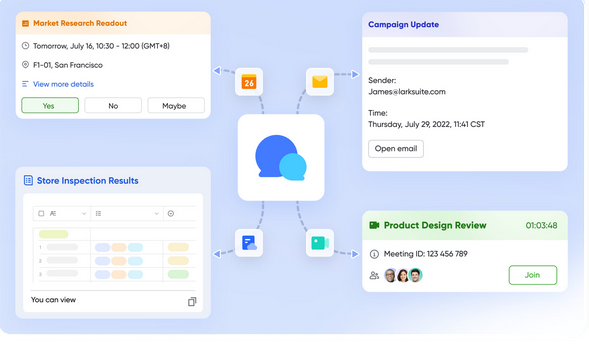
Today’s workplace has more noise than what’s on daytime TV. Chat app notifications, email threads that just don’t end, multiple overlapping apps, and updates sent twice all scream for our attention. All of that noise gets in the way of productivity, creating fragmented workspaces, slowing execution, causing unnecessary repetition of work, making teams seek clarification, and getting updates from other apps. Unified project management tools offer teams another path forward. They consolidate communication, documentation, and decision-making into one unified flow, reducing interruptions. Lark is a strong example of how connected features can help organizations transform their workplace from noise to clarity.
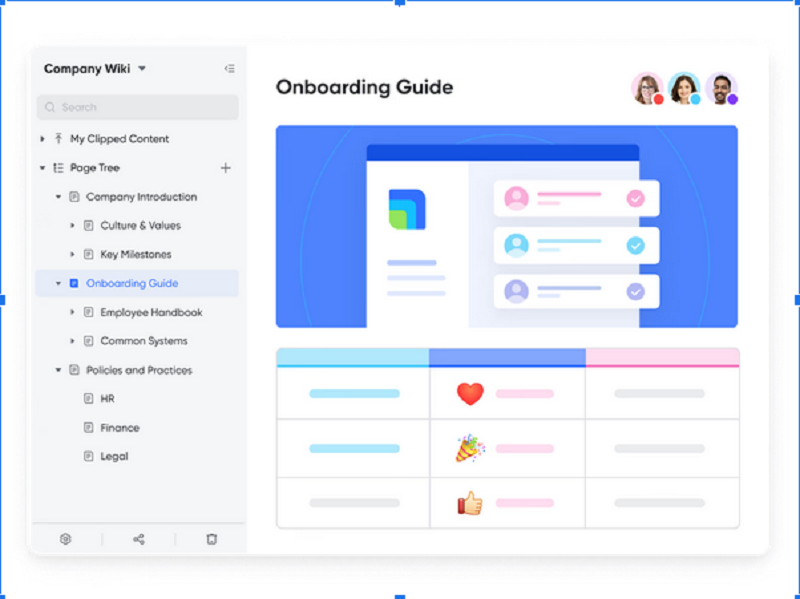
Lark Wiki: Turning scattered knowledge into a single source
Information leaks across drives, emails, and folders can also inconvenience employees, who spend more time searching for documents than actually working. Unfortunately, when employees are searching for answers, they are also creating more noise, making it even harder to focus. Lark Wiki was created to solve this problem by serving as a centralized knowledge base where information can live on indefinitely and can be found simply and efficiently. When people have knowledge-sharing behaviors, the noise becomes clear.
- Centralized documentation: Policies, guidelines, and best practices are all stored and structured in one location. This saves employees time by not having to scroll through shared drives, emails or random screenshots for the information they need.
- Self-service: Employees are directed to find an answer on the Wiki themselves, rather than asking their colleagues for the answer, which creates independence and eliminates if repeated options.
- Version stability: Whenever a change occurs, the document is updated one time, but now everyone receives the update simultaneously. This also eliminates the confusion of colleagues passing outdated files to each other while only supporting old procedures.
- Cross-department sharing: HR teams can publish onboarding guides while the compliance team can store regulatory procedures, so everyone is utilizing the same playbook.
Lark Base: Structuring data for focused execution
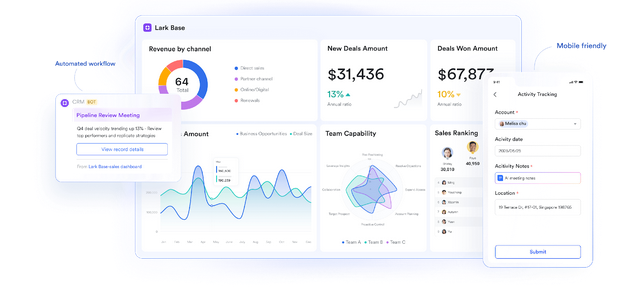
Often times, teams replicate trackers across multiple spreadsheets and tools, which creates confusion and noise. Lark Base addresses this by providing one system with a clear structure of projects and defined ownership. Projects can be customized to the needs of the department while maintaining connectivity across teams.
- Custom project views: Kanban, table, gallery, and timeline views allow teams to prioritize and keep organized while eliminating clutter.
- Defined ownership: Each record or task has an owner, eliminating the noise of who’s responsible, and speeding accountability.
- Live visibility: Managers have live visibility of progress without unnecessary requests for updates, limiting distractions in communication.
- Commercial capabilities: With multiple features in Base, users can easily build up a client information hub as a CRM app, attaching client records to tasks and deliverables. Here, sales and the service teams focus on completing their work instead of reconciling multiple tools.
Lark Sheets: Making data collaboration clean and consistent
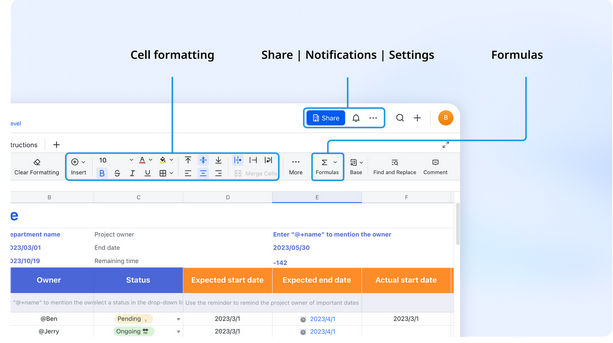
When several versions of spreadsheet values are shared throughout inboxes, the outcome is repeated effort and misalignment in decision-making. This increases noise in people’s workflows, wasting time reconciling files. Lark Sheets eases the management of data through simultaneous collaboration in a single live document. This reduces distraction and enables your contributions to be focused on insights rather than additional cleaning of files.
- Single live file: Teams collaborate in a Lark Sheet versus managing duplicate versions of the data, sidestepping confusion when double attachments are added
- Real-time analysis: Formulas and charts of data change instantaneously, and evaluation of decision-making is based on “real” numbers, not previous reports and antiquated data.
- Connected Context: Sheets connected by Base or Docs, and ensures that all analysis provides incorporated elements directly to projects, without additional steps.
- Cross-functional leverage: Finance can use Lark Sheets for budgets, operations can manage tracking of resources, and all on the same platform, halting repeated notice reporting.
Lark Approval: Reducing delays with automation

Decision-making often gets stuck in cluttered email threads where approvals are lost or delayed. This slows progress and adds unnecessary noise as employees chase updates. Lark Approval solves this by creating a structured space for approvals, where requests are routed automatically and status is always visible. By embedding automation, it reduces friction and keeps projects flowing.
- Structured request system: Expense claims, leave requests, or project sign-offs happen in one place, avoiding the noise of scattered email threads.
- Automated routing: Approvals go directly to the right managers, reducing back-and-forth and manual forwarding.
- Transparent tracking: Request status is visible at all times, preventing employees from chasing updates and distracting managers.
- Automated workflows: By supporting an automated workflow, Approval ensures that reminders, escalations, and status updates happen without manual effort. This reduces bottlenecks, helps managers make decisions faster, and gives teams the clarity to stay focused on priorities.
Lark Mail: Keeping external communication connected
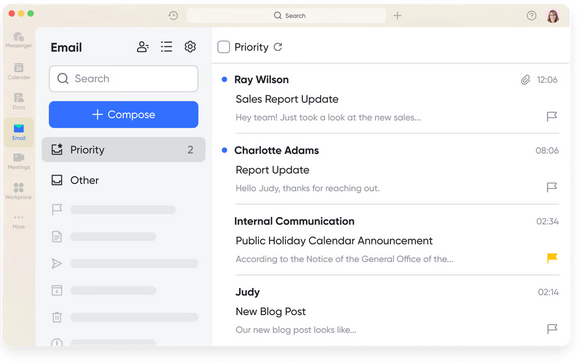
When communication is external, double entry, and distraction occur when emails are not connected to a project. Employees copy information to another app, or worse, fall behind on important updates hidden in long threads of emails. Lark Mail resolves this disconnect because it connects email to workflows internally. External inputs will always be visible in the documentation, and you will be less likely to spend time on repeated updates.
- Email trapped in the application: External communications connects directly to projects, which means you don’t have to duplicate work across an inbox and a task tracker.
- Attachments and context: Files that clients or vendors share can be related to Base records or Docs. There is less chance of getting lost in the loose ends of email threads.
- Inbox and focus: Threaded views and smart search functions immediately help employees to spend less time sorting through emails, and focusing on actions.
- Bridging internal and external: A contractor approval or client alert can be linked to internal workflows which lessens the number of repeat updates.
Lark Meetings: Making discussions productive, not repetitive
Meetings are often criticized for adding to workplace noise, particularly when outcomes aren’t clear and discussions need to be repeated. Lark Meetings helps reduce this by embedding collaboration into video calls. Teams can edit Docs, assign tasks, and update projects during the meeting, ensuring decisions turn into action without extra steps.
- Seamless joining: Teams launch calls directly from Calendar or Messenger without juggling logins, keeping meetings focused.
- Live collaboration: Docs open inside meetings, so agendas, notes, and edits happen during the discussion instead of afterward.
- Task assignment in real time: Decisions turn into tasks instantly, ensuring outcomes don’t need to be re-explained in follow-up emails.
- Recordings and transcripts: Meetings are stored for reference, avoiding the noise of repeating the same conversations for absent colleagues.
Conclusion
Noise in the workplace isn’t only distracting, it’s costly. Fragmented tools force workers to repeat tasks, hunt for updates, and sort out who is responsible for what. Unified workflows like those enabled by Lark cut through it all by centralizing where work happens.Wiki keeps knowledge in one place, Base keeps data well-formed, Sheets keeps our analysis clear, Approval speeds up approvals through automation, Mail aligns communication externally, and Meetings make sure discussions lead to action. Together, all of these products foster an environment of focus and with it, genuine workflow.
The power of unified workflows isn’t adding more notifications, it’s reducing the number of notifications. For businesses looking to sharpen focus and amplify their impact, connected platforms designate jobs that should be traded in for valuable progress.