

Technology
15 Exciting Highlights from Google I/O 2023
At the annual Google I/O developer conference, a wide array of cutting-edge technologies and updates were showcased, all aimed at enhancing user experiences across various platforms. Google emphasised its commitment to improving search experiences and ensuring user safety by introducing new generative AI capabilities for search and implementing advanced tools for online protection.
Significant updates were also announced for Android, Pixel devices, and Google Photos. A standout moment of the conference was the unveiling of PaLM 2, Google’s latest generative language model. This breakthrough model surpasses previous language models in areas such as maths, coding, reasoning, multilingual translation, and natural language generation.
In addition to these advancements, Google reiterated its commitment to responsible AI, striving to address pressing societal challenges like climate change and flood forecasting while maintaining ethical AI practices.
Here are the 15 significant announcements made at Google IO that we thought would be of interest to you:
-
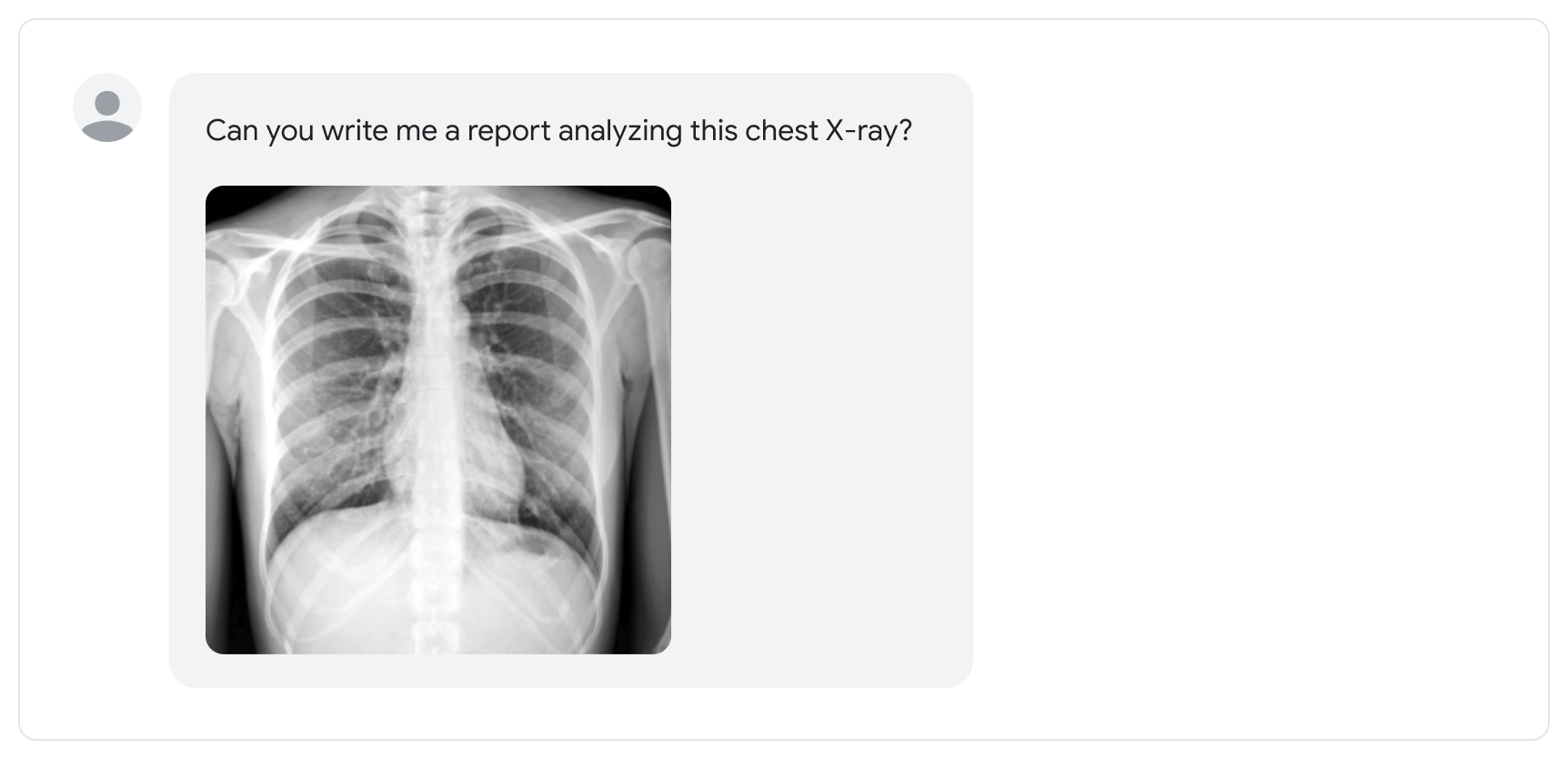
PaLM 2, next generation language model: Google has unveiled PaLM 2, a next-generation language model designed to improve language translation, reasoning, and coding capabilities. The model is more heavily trained on multilingual text, demonstrating advanced proficiency in logic, common sense reasoning, and mathematics. Additionally, PaLM 2 was pre-trained on publicly available source code datasets, making it more efficient and faster than previous models. PaLM 2 will be available in four sizes, from smallest to largest: Gecko, Otter, Bison, and Unicorn, making it versatile for a range of use cases. The model is set to power 25 new Google products and features, including Bard and Med-PaLM 2, a medical competency model that can answer questions and summarise insights from dense medical texts. Learn more about PaLM 2 here.
-
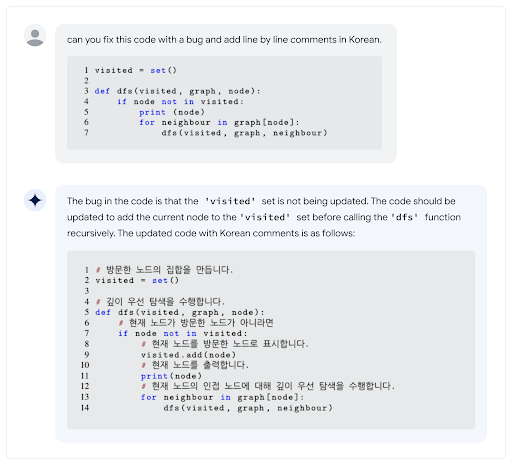
Expansion of Bard: The waitlist has now been removed, making Bard available in English in over 180 countries and territories, with the addition of Japanese and Korean languages, and planning to support the world’s top 40 languages. As the platform expands, Google will focus on maintaining high standards for quality, local nuances and adherence to AI principles. More here.

-
Image Capabilities: Google is making it easier to prompt Bard with images, using Google Lens. This integration of images with text in Bard aims to enrich the user experience by providing visually informative responses to queries. Users can also include images in their prompts, offering new possibilities for creativity and imagination. More here
-
Developer Features for Bard: Google is introducing three new ways to use Bard based on developer feedback: Making code citations even more precise by showing you the source of specific blocks of code. This also applies to citing narrative content from across the web; by adding export to Replit and by making Bard friendlier on the eyes in low-light conditions by introducing Dark theme. More here
-
Export to Docs and Gmail: Google is making it easier and more seamless for users to continue their work by exporting Bard’s responses to Google Docs or Gmail. Formatting stays intact so users can continue editing directly in Docs or Gmail without needing to copy, paste, and reformat Bard’s responses.
-
Integration into Apps:: Bard will be integrating with various Google apps and services like Docs, Drive, Gmail, Maps, and more, while maintaining user control over privacy settings. The platform will also connect with external services and partners, such as Adobe Firefly for image creation, Kayak for travel, Instacart for groceries, Wolfram for computational knowledge, and Khan Academy for education, offering a wide range of possibilities for users.
-
Integrating generative AI across all the Workspace apps: The new features help one write, organise, visualise, accelerate workflows, have richer meetings, and much more. This powerful new way of working is what Google calls Duet AI for Workspace. Google is bringing the generative AI experience to Gmail on mobile and embedding generative AI into Slides so one can easily create unique visuals with a few words. The generative AI will help one analyse and act on data in Sheets, with automated data classification and the creation of custom tables.
-
Simplifying Shopping with Generative AI: Google is using generative AI to make shopping faster and much easier, providing users with a snapshot of noteworthy factors to consider when searching for a product. Built on Google’s Shopping Graph, this new generative AI shopping experience will offer a seamless and informed decision-making process for users.
-
Search Labs: Google’s advanced generative AI capabilities are now accessible through Search Labs, an innovative platform that allows users to explore and engage with early-stage experiments in Search. By registering for Search Labs, users have the opportunity to experience the Search Generative Experience (SGE) on Chrome desktop and the Google App in the US (available in English at launch).
-
Magic Compose: Magic Compose, a new Messages by Google feature powered by generative AI, can help you add an extra spark of personality to your conversations. The feature offers suggested responses based on the context of your messages and can even transform your writing into different styles. Release set for July.
-
New AI features in Android: Google’s upcoming Android 14 update (expected later this year) promises to change the way users personalise their smartphone experience, taking customization to the next level. Material You customization enables users to personalise their lock screen with new shortcuts, clocks, and a monochrome colour theme. The update also offers diverse wallpaper options, including emoji, cinematic, and generative AI wallpapers that allow users to generate unique designs based on their preferences. To enhance social media, Google is bringing Night Mode and 10-bit HDR video support to popular social apps like Instagram. The Android 14 update introduces Ultra HDR, promising stunning photo quality and raising the bar for smartphone photography.
-
Reimagine Your Photos with Magic Editor in Google Photos: The new experimental editing feature, Magic Editor, powered by generative AI, will enable users to make complex photo edits effortlessly without requiring professional editing skills. Users can selectively edit specific parts of an image, such as the subject, sky, or background, for more control over the final appearance of their photos.
-
Features and Updates to Enhance Online Safety and Trust: Google’s new suite of features and updates aims to improve online safety and provide users with reliable access to trustworthy content and information. The “About This Image” tool helps users evaluate the reliability of visual content found online by providing important contextual information, such as when an image was first indexed by Google, its original appearance, and other online occurrences. Google is also expanding its Content Safety API to include potential child sexual abuse material in video content, addressing a critical safety concern as video files account for nearly 50% of all files reported to the National Center for Missing and Exploited Children (NCMEC).
-
Spam view in Drive: Google’s ongoing efforts to protect Gmail users from unwanted messages, which currently block over 99.9% of spam, phishing, and malware, are now being extended to Google Drive with “Spam View”, a new feature that simplifies the process of separating and reviewing files, allowing users to identify potential spam and stay safe from unwanted or abusive content. Google Drive will automatically classify content into the Spam View, similar to Gmail’s current system, ensuring that users are protected from encountering dangerous or unwanted files.
-
New additions to the Pixel family: Google’s Pixel product line continues to expand with the introduction of three new devices: the Pixel 7a, Pixel Fold, and Pixel Tablet. The Pixel 7a is Google’s latest A-series phone, featuring Face Unlock, 8GB RAM, a 90 Hz display, and wireless charging for the first time, making it an affordable package with the best of Google’s hardware and software. The Pixel Fold is Google’s first foldable phone, boasting a 7.6-inch screen when opened, offering a large, immersive display, and the best camera on a foldable phone, ensuring high-quality photography. Additionally, the 11-inch Pixel Tablet is designed for entertainment and gaming, comes with a Charging Speaker Dock, and functions as a helpful smart home device.
Technology
A First-Day VPS Setup That Avoids Common Mistakes
A new virtual server arrives almost empty, but it is already reachable from the internet. After choosing a plan through antihost.com, the first hour should create safe access, patch the system, restrict traffic, and establish recovery. This vps setup guide follows that order. It gives you a clean base for a website, application, bot, or private service.
Establish Safe SSH Access
Log in through the provider’s initial method, then create a named user with sudo rights. Add an SSH public key for that account. Open a second terminal and test the key before changing root or password settings.
After the new login works, disable direct root access. Password authentication can also be disabled when every administrator has a tested key. Keep the provider’s recovery console documented in case a firewall rule or SSH change goes wrong.
Patch the operating system before installing applications. Remove packages you do not need. Set the correct time zone and confirm time synchronization, since inaccurate clocks make logs and certificates harder to troubleshoot.
This vps setup tutorial uses a simple sequence:
- Create an administrator and test sudo.
- Configure SSH keys and a recovery path.
- Install security updates and reboot if required.
- Enable a default-deny firewall policy.
- Install only the services the project needs.
- Configure backups and basic monitoring.
Add the Firewall, Domain, and TLS
Allow SSH before enabling the firewall. Then open only application ports. A web server normally needs TCP 80 and 443. A database should usually listen on a private interface or local socket.
Ubuntu’s firewall guide explains that UFW is its default firewall configuration tool. It can create host rules for IPv4 and IPv6 while hiding much of the lower-level syntax. Always review the resulting status after a change.
Point the domain’s DNS records to the server address. DNS updates can take time to appear across resolvers. Once the name resolves correctly, request a TLS certificate and enable automatic renewal. Test renewal rather than assuming the timer works.
| Step | Success signal | Recovery option |
| SSH key | New session opens | Provider console |
| Firewall | Required ports respond | Existing shell session |
| DNS | Name resolves to VPS | Restore previous record |
| TLS | Trusted certificate loads | Review web-server logs |
Finish With Backups and Monitoring
Store backups outside the VPS. Include application data, configuration files, and the database. Keep several versions and run a real restoration on a test machine. Snapshots are convenient, but they should not be the only copy.
Monitoring should answer a few basic questions. Is the service reachable? Is disk space shrinking quickly? Are memory pressure, failed logins, or repeated restarts increasing? Send alerts somewhere the team actually watches.
Set a modest alert threshold at first, then tune it from real usage. Too many harmless notifications train people to ignore the one message that matters.
Modern cloud images often use cloud-init during their early boot stages. The cloud-init documentation describes how it discovers its data source, configures networking, and applies user configuration. Review provider startup scripts so later automation does not overwrite manual choices.
For market context, current VPS hosting recommendations may highlight provider concerns worth testing. Still, a recommendation cannot replace a restore drill or latency check.
A dependable vps setup stays understandable. Record users, ports, DNS changes, backup locations, and renewal jobs. Revisit this vps setup guide after major deployments. When the basics remain documented and tested, later growth becomes routine rather than a rescue mission.
Technology
How to Make a Modded Minecraft Server with CurseForge
CurseForge makes building a custom Minecraft world surprisingly easy. You can learn how to make a modded Minecraft server with CurseForge extremely fast, as it’s a piece of cake. The article explains creating a modpack, checking mod dependencies, and exporting files for server use. By the end, launching a custom world feels quick and stress-free.
Building Your Modpack Inside the CurseForge App
Getting started means opening the CurseForge launcher first. Create a new custom profile and pick a Minecraft version. This becomes the base for the whole modpack.
Browsing mods comes next, and CurseForge hosts thousands of options. Searching through the best minecraft mods curseforge offers helps narrow down solid choices fast. Categories like tech, magic, and adventure make filtering simple.
Adding mods takes one click inside the launcher. Each mod gets added straight to the custom profile automatically. Building a balanced pack works better with a clear theme in mind.
Anyone planning a bigger project should look into minecraft forge server hosting early. Knowing hosting limits helps decide how many mods fit comfortably.
Checking Dependencies So Mods Don’t Break Each Other
Mods often rely on shared libraries to function properly. Missing one library causes crashes right at launch. CurseForge flags these dependency issues automatically inside the launcher.
A yellow warning icon usually signals a missing dependency. Clicking it shows exactly which library needs adding. Installing the suggested fix takes seconds most of the time.
Conflicts happen when two mods edit the same game feature. These clashes cause crashes or strange glitches during gameplay. Removing one mod at a time helps identify the real problem.
| Issue Type | Common Cause | Fix |
| Missing Dependency | Shared library not installed | Add suggested library |
| Mod Conflict | Two mods edit same feature | Remove one mod |
| Version Mismatch | Mod built for different version | Update or replace mod |
Testing the modpack locally before moving to a server saves time. Many minecraft server hosting services also run compatibility checks during upload.

Exporting Your Modpack for Server Use
Once the pack runs smoothly, exporting comes next. CurseForge includes a built-in export tool for server files. This generates a separate server pack automatically.
The export process skips client-only files like resource packs. Only server-required mods and configs get included. This keeps the final package lean and focused.
Vazkii once shared thoughts on modding freedom. In an interview with CurseForge, Vazkii said “The primary benefit of being a modder is the sheer level of flexibility and agility you have when it comes to scheduling and implementation.” That flexibility shows up in how CurseForge handles exports.
After exporting, a zip file appears with everything needed. This file becomes the foundation for the live server setup.
Moving the Modpack to Your Server and Launching It
Uploading the exported files starts the final stage. Most control panels allow drag-and-drop uploads or FTP transfers. Extracting the zip file inside the server folder comes next.
Running the included install script sets up the loader automatically. This step also downloads any remaining server-side files needed. Patience helps here, since larger packs take a few minutes.
Once installation finishes, starting the server becomes simple. The start command launches the world using the custom modpack. Checking the console log confirms everything loaded correctly.
Choosing solid minecraft server hosting custom modpack support makes this whole process smoother. Good hosts handle memory allocation and updates without much manual work.
Building a server with CurseForge turns a complex task into something manageable. Anyone can now confidently handle how to make a modded Minecraft server with CurseForge. With a tested modpack, clean export, and smooth upload, a custom world becomes ready to explore.
Technology
XE8 Player Safety: Responsible Gaming, KYC, and Wallet Security
Player safety sits at the core of every session on Xe8. From the moment you register, the platform applies bank-grade encryption, independent fraud screening, and built-in responsible gaming tools so you stay in control of your time and funds. Licensed under the Curaçao Gaming Control Board, Xe8 keeps player balances in segregated accounts and requires identity checks before withdrawals. You can explore every safeguard yourself when by visiting xe8.com directly.
Responsible Gaming Protocols Supporting Fair Player Protection
Xe8 builds protection into the account from day one rather than treating it as an optional extra. These measures reduce fraud risk, help you manage spending, and give vulnerable players a clear way to step back. Read the complete safety guidelines for the full picture of how the platform operates here xe8.com/en/player-safety/.
Mandatory KYC Verification for Fraud Mitigation
Identity verification (KYC) is required before your first withdrawal. This standard anti-money-laundering step confirms you are of legal age (21 or older) and that the account belongs to the real person behind it. Completing KYC early prevents unauthorized withdrawals and protects both you and the platform from account takeover. Submit documents through Account Settings → Account Verification; the process is straightforward and keeps your funds secure once approved.
Automated Deposit Limits and Session Reminders
Every account includes deposit limits you can set for daily, weekly or monthly periods. Once the limit is reached, further deposits are blocked until the period resets. Session reminders appear during play to show how long you have been active, giving you a natural pause point. These tools take effect immediately when you activate them and sit in your account controls, ready whenever you decide to use them.
Self-Control Tools for Vulnerable Gambling Users
Self-exclusion and time-outs let you pause activity for a chosen period. During exclusion you cannot deposit or play, though you can still withdraw remaining balances after any required checks. The feature is available from registration and takes effect as soon as you turn it on. Support can guide you through activation if you prefer help setting it up.
Essential Steps to Secure Your Mobile Wallet Profile
Your mobile wallet and login details are high-value targets for scammers, so a few consistent habits make a real difference. Follow these practical steps to keep your profile locked down and reduce the chance of unauthorised access.
- Always start at xe8.com, select your region, and follow the official links to the play platform. Never type unfamiliar addresses or trust ads and forwarded messages.
- Install the official app only from the dedicated download page. Avoid any APK shared in Telegram groups, forums or ads that ask you to “allow unknown sources.”
- Create a strong, unique password and enable any available two-factor options. Never reuse the same password on other sites.
- Complete KYC early so withdrawals can process smoothly and the account is fully verified against fraud.
- Log out after each session on shared devices and keep your device software updated. Watch for any login alerts and act on them immediately.
- Never share passwords, OTPs or account details in chat. Genuine Xe8 support will never ask for them.
These habits align with the platform’s own advice: the strongest protection is a player who can recognise the real Xe8 and keeps credentials private.
Key Player Protection Features Overview
Xe8 layers several independent safeguards around every account. Each one addresses a different risk, and all of them work quietly in the background so you can focus on the games. Here is what each feature does and why it matters.
- 256-bit SSL Encryption: Every login, deposit and withdrawal travels under 256-bit SSL, the same standard banks use. This encrypts data in transit so it cannot be read if intercepted. Enable it simply by using the official site or app; the protection is automatic and continuous.
- ThreatMetrix Fraud Screening: Sessions are checked by ThreatMetrix for suspicious devices and behaviour patterns that signal account takeover. The system acts before a threat reaches your balance. You do not need to configure anything; the screening runs on every session by default.
- Segregated Player Funds: Your balance sits in accounts kept separate from the company’s operating money. This licensing requirement means your funds remain yours even if the business faces operational issues. The separation is automatic once you deposit.
- Independently Tested Games: Games come from licensed studios and are certified by GLI, iTech Labs and BMM. Outcomes are produced by the studio’s software, not by Xe8, so no result can be altered. Check the providers page for the full list of audited titles.
- Responsible Gaming Controls: Deposit limits, loss limits, session reminders, time-outs and exclusion period sit inside every account from registration. Activate them in Account Settings whenever you want boundaries; they take effect at once and are respected without pressure to reverse them.
How Official Customer Support Assists with Security Issues
Last but not least, real people staff Xe8 support every day in English, Bahasa Malaysia and Simplified Chinese. They handle security questions, verification helps, problem gambling risks, and reports of suspicious activity through live chat, WhatsApp and Telegram. Here is how they typically assist.
Verifying Official XE8 Channels
If a link, message or app looks off, contact support through the official live chat or Telegram handle. They confirm the genuine addresses and can flag look-alike sites for removal. Acting early stops most phishing attempts before damage occurs.
Guiding KYC Completion
Support walks players through document upload and common rejection reasons. Completing verification early avoids delays on the first withdrawal and strengthens the account against fraud. Reach them via live chat for the quickest response.
Handling Unfamiliar Login Alerts
Report any unexpected login attempt immediately. Support can help lock the account, force a password reset and review recent activity. Quick reporting limits exposure and restores control faster.
Activating Self-Exclusion or Limits
If you need a break, support can confirm the self-exclusion or deposit-limit steps and ensure the block is active. They will not pressure you to stay; the process is designed to honour your choice at once.
Reporting Fake Sites or Impersonators
Send screenshots, URLs or message details through official channels. The team works to have fraudulent pages taken down and warns other players. Keeping evidence helps both you and the wider community.
Conclusion
Xe8 treats player safety as a structural requirement rather than a marketing claim. Licensed oversight, bank-grade encryption, independent game testing and always-available responsible gaming tools work together to keep control in your hands. Start with the official channels, complete verification early, and use the built-in limits whenever you need them. The result is an environment where entertainment stays entertainment.
FAQ
What should I do if I notice an unfamiliar login attempt on my account?
Stop any further activity, change your password immediately through the official site or app, and contact support via live chat or Telegram with the details. They can review the session, lock the account if needed, and guide you through securing it. Also change the password on any other site where you reused it.
Is personal verification data stored securely on the network servers?
Yes. All data travels under 256-bit SSL encryption, and sessions are screened by ThreatMetrix. Payment credentials are processed through secure provider APIs rather than stored on Xe8 servers, and player funds remain in segregated accounts. Identity documents submitted for KYC follow the same protected handling required by the licence.
How does the self-exclusion process work if a player needs a temporary break?
Log into your account, go to the responsible gambling or account settings section, and select the self-exclusion or cooling-off period you need. The restriction takes effect immediately: you cannot deposit or play, though you can still request withdrawal of any remaining balance after checks. Support can confirm activation if you prefer assistance, and marketing to the account is paused for the duration.
Business Information
Name: Xe8
Website: https://xe8.com/
Address: 36A, Jln Diplomatik, Presint 15, 62000 Putrajaya, Wilayah Persekutuan Putrajaya
Phone: +60193537524