
Technology
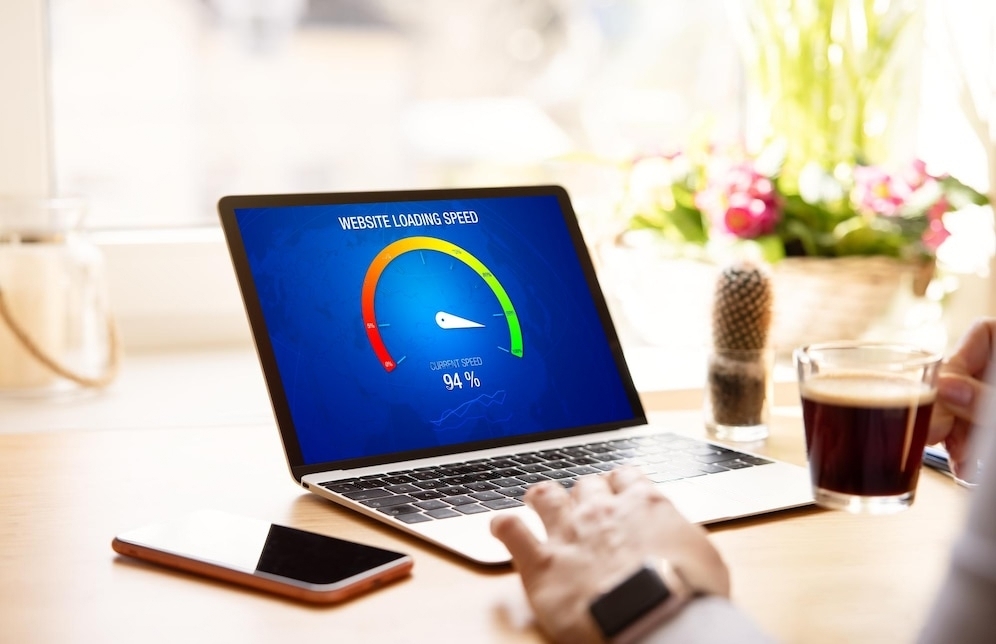
Boosting Website Performance: Tips for Speed and Efficiency

By Rahul Baitha
In today’s digital age, where instant gratification is the norm, website performance plays a critical role in delivering a positive user experience. Visitors expect websites to load quickly and respond seamlessly to their interactions.
If your website lags or stumbles, you risk losing valuable traffic and potential customers. As a web designer or business owner, optimizing your website’s performance should be a top priority. In this comprehensive guide, we’ll explore essential tips and techniques to boost your website’s speed and efficiency.
Understanding Website Performance
Before diving into optimization strategies, it’s essential to grasp the fundamentals of website performance. Several key factors contribute to how users perceive your site’s speed and efficiency:
1. Page Load Time
Page load time refers to the time it takes for a web page to fully display its content in a user’s browser. Studies have shown that even a one-second delay in page load time can result in higher bounce rates and decreased user satisfaction.
2. Responsiveness
Website responsiveness pertains to how quickly a website reacts to user interactions. It includes smooth scrolling, swift navigation between pages, and immediate response to clicks or taps. Responsiveness is critical for retaining user engagement.
3. Server Response Time
Server response time measures how long it takes for a web server to respond to a user’s request. Slow server response times can lead to delayed page loading and frustrated users.
4. Mobile Optimization
With the increasing use of mobile devices, ensuring that your website performs well on smartphones and tablets is essential. Mobile users are particularly sensitive to slow-loading pages.
5. Overall User Experience
Ultimately, website performance contributes to the overall user experience. A fast and efficient website fosters a positive impression and encourages users to explore further, engage with your content, and take desired actions, such as making a purchase or filling out a contact form.
The Importance of Speed
Why is speed such a crucial aspect of website performance? Let’s delve into the various reasons:
1. User Expectations
Modern internet users expect websites to load quickly. When a site doesn’t meet these expectations, users are more likely to abandon it and seek alternatives. A fast-loading site keeps visitors engaged and satisfied.
2. Search Engine Rankings
Search engines like Google consider page speed as a ranking factor. Websites that load faster tend to rank higher in search results. Improved rankings lead to increased organic traffic.
3. Mobile Friendliness
Mobile devices account for a significant portion of internet traffic. Slow-loading sites frustrate mobile users, resulting in higher bounce rates. Ensuring your site’s mobile-friendliness is crucial for retaining this audience.
4. Conversion Rates
Website speed directly impacts conversion rates. Whether you’re selling products, collecting leads, or encouraging user interactions, a faster website increases the likelihood of successful conversions.
Now that we understand the importance of website performance, let’s explore actionable strategies to optimize your site’s speed and efficiency.
Tips for Speed and Efficiency
1. Choose the Right Hosting Provider
Your choice of hosting provider plays a pivotal role in your website’s performance. Opt for a reputable hosting company that offers high-speed servers, efficient resource allocation, and excellent customer support. Consider your website’s specific needs, such as bandwidth and storage requirements.
2. Optimize Images
Large images can significantly slow down your website. Use image compression techniques to reduce file sizes without compromising quality. Additionally, specify image dimensions to prevent page layout shifts while images load.
3. Minimize HTTP Requests
Each element on a web page, including images, scripts, and stylesheets, requires an HTTP request. Minimizing these requests can dramatically improve load times. Combine multiple CSS and JavaScript files into a single file to reduce HTTP requests.
4. Leverage Browser Caching
Browser caching allows returning visitors to load your site faster by storing elements like images and stylesheets locally. Implement caching headers in your server configuration to enable browser caching.
5. Use Content Delivery Networks (CDNs)
CDNs distribute your website’s content across multiple servers worldwide. This reduces server load and decreases the physical distance between users and your site’s files, resulting in faster load times.
6. Enable GZIP Compression
GZIP compression reduces the size of HTML, CSS, and JavaScript files before they’re sent to the browser. This minimizes data transfer times and improves overall website speed.
7. Minimize Redirects
Redirects can add extra HTTP requests and delay page loading. Limit the use of redirects and ensure they point to the correct destination.
8. Optimize Code
Clean and efficient code improves website performance. Remove unnecessary or redundant code, and ensure that scripts are placed at the bottom of your HTML document to prevent render-blocking.
9. Monitor and Test
Regularly monitor your website’s performance using tools like Google PageSpeed Insights, GTmetrix, or Pingdom. Conduct performance tests and address any issues or bottlenecks promptly.
10. Prioritize Mobile Optimization
Given the prevalence of mobile users, prioritize mobile optimization. Implement responsive design practices, test your site on various mobile devices, and ensure fast load times on smartphones and tablets.
Conclusion
Website performance is not a one-time task but an ongoing commitment to providing an exceptional user experience. As a web designer, developer, or business owner, optimizing your website’s speed and efficiency is essential for attracting and retaining visitors, improving search engine rankings, and boosting conversion rates. By following the tips outlined in this guide, you can ensure that your website not only meets but exceeds user expectations. Remember, in the digital realm, speed is often the difference between success and missed opportunities.
Boosting your website’s performance is a universal goal, whether you’re a web designer in Kolkata, a business owner in New York, or a blogger in London. Implement these strategies, and you’ll be on your way to a faster, more efficient website that delights your audience and achieves your online goals.



Key players across Nigeria’s digital economy, telecommunications, and infrastructure ecosystem are set for the National Dig-Once Policy Forum to champion a new course towards increasing Nigeria’s digital backbone network to 125,000km of fibre-optic infrastructure.
The event, which marks the 8th edition of Policy Implementation Assisted Forum (PIAFo), is a high-level industry dialogue aimed at accelerating the formulation and adoption of a National Dig-Once Policy as a critical enabler of safe, coordinated and cost-effective fibre infrastructure deployment in the country.
The forum, themed Accelerating Nigeria’s Digital Backbone: Dig Once Policy, Project BRIDGE and Strategies for Effective Fibre Deployment, is slated for Thursday, April 16, 2026, at Radisson Blu Hotel, Ikeja GRA, Lagos.
According to the organisers, Business Metrics Limited (BML), the introduction of the $2 billion Project BRIDGE initiative by the Federal Government to expand fibre infrastructure by an additional 90,000km from 35,000km to 125,000km by 2030 requires some new measures to ensure the successful implementation of the ambitious target and avoid mistakes of the past.
Industry stakeholders have identified that the success of a national connectivity backbone rollout depends largely on institutionalising a Dig Once Policy framework, which encourages the installation of fibre ducts and conduits whenever roads, railways, and other major public infrastructure are being constructed or rehabilitated.
According to industry data shared by the Nigerian Communications Commission, lack of such a framework is taking a toll on the telecoms sector and broadband drive as operators recorded over 50,000 fibre cut incidents across the country in 2024, with more than 60 per cent occurring during road construction and rehabilitation activities. These disruptions have resulted in billions of naira in repair costs, network outages, and service degradation.
Telecom operators in Lagos State alone said they spent over N5 billion in 2024 to repair and replace damaged fibre infrastructure in the state, while lamenting that the development continues to slow down network upgrade and expansion drive.
Beyond infrastructure damage, telecom operators also face challenges such as high Right of Way (RoW) charges, uncoordinated civil works, and repeated excavation of roads for fibre deployment.
PIAFo 8.0 aims to address these challenges by fostering collaboration among stakeholders responsible for planning, financing, constructing, and maintaining Nigeria’s digital infrastructure.
Specifically, the forum seeks to align federal, state, and local infrastructure planning around a unified Dig-Once framework; strengthen collaboration between telecom operators, infrastructure companies, and public works authorities; translate policy intentions into actionable guidelines and implementation timelines; and build stakeholder support for Project BRIDGE and complementary national fibre initiatives.
Speaking about the event, Team Lead at Business Metrics Limited, Omobayo Azeez, said Nigeria is being denied access to the robust connectivity it should derive from up to eight high-capacity undersea cable networks landed on its shores because of difficulties around terrestrial fibre infrastructure expansion.
“The Project BRIDGE initiative should excite everyone because of its ambitious targets. But for those who understand the operating terrain and why it took the industry over 20 years to achieve around 35,000km of fibre network that the country currently operates for broadband connectivity, the project calls for a major shift in execution approach with the adoption of a National Dig-Once Policy as the starting point.
“PIAFo, now in its 8th edition, is again serving as the viable platform for representatives from government ministries and agencies, senior telecom executives, infrastructure companies, data centre operators, equipment manufacturers, state governments, and industry associations to chart the way forward.”
The forum will feature keynote addresses, expert panel discussions, and strategic networking sessions designed to drive pragmatic outcomes that will accelerate Nigeria’s journey toward a resilient and inclusive digital economy.


By Adedapo Adesanya
The Nigerian government and the Republic of Finland have formalised a strategic partnership on digitalisation and innovation, signing a Memorandum of Understanding (MoU) aimed at expanding economic activities and strengthening cooperation in the digital sector.
The agreement was signed in Abuja by the Minister of Communications, Innovation and Digital Economy, Mr Bosun Tijani, and Mr Jarno Syrjälä, Under‑Secretary of State (International Trade) at Finland’s Ministry for Foreign Affairs.
According to a statement from the Special Assistant on Media and Communications to the communications minister, Mr Isime Esene, the MoU will establish a framework for collaboration across key areas, including digital government, emerging technologies, digital public infrastructure, cybersecurity, innovation ecosystems, and capacity building.
Mr Tijani described the signing as “an important step in strengthening the partnership between both countries as we work to build a more inclusive, innovation-driven digital economy.”
“This agreement is a significant next step following our engagements in Helsinki in February, where we met with key stakeholders, including Finnvera and Finnfund, and held productive discussions on advancing collaboration around digital infrastructure, the Data Exchange Platform, and opportunities for Finnish participation in Project Bridge.”
The Minister emphasised that the partnership would “unlock meaningful opportunities for both countries, enabling us to leverage digital transformation as a catalyst for sustainable growth and shared prosperity.”
Echoing this optimism, Mr Syrjälä said: “Finland is very pleased to deepen its partnership with Nigeria in building resilient, secure, and human‑centric digital societies. Digitalisation is at its best when it empowers people, strengthens trust, and creates new opportunities for innovation.”
“Nigeria is a key partner for Finland in Africa, and this MoU provides a strong basis for concrete cooperation between our governments, institutions, and private sectors. Together, we can advance digital solutions that are interoperable, future‑fit, and beneficial to both our nations,” he added.

By Aduragbemi Omiyale
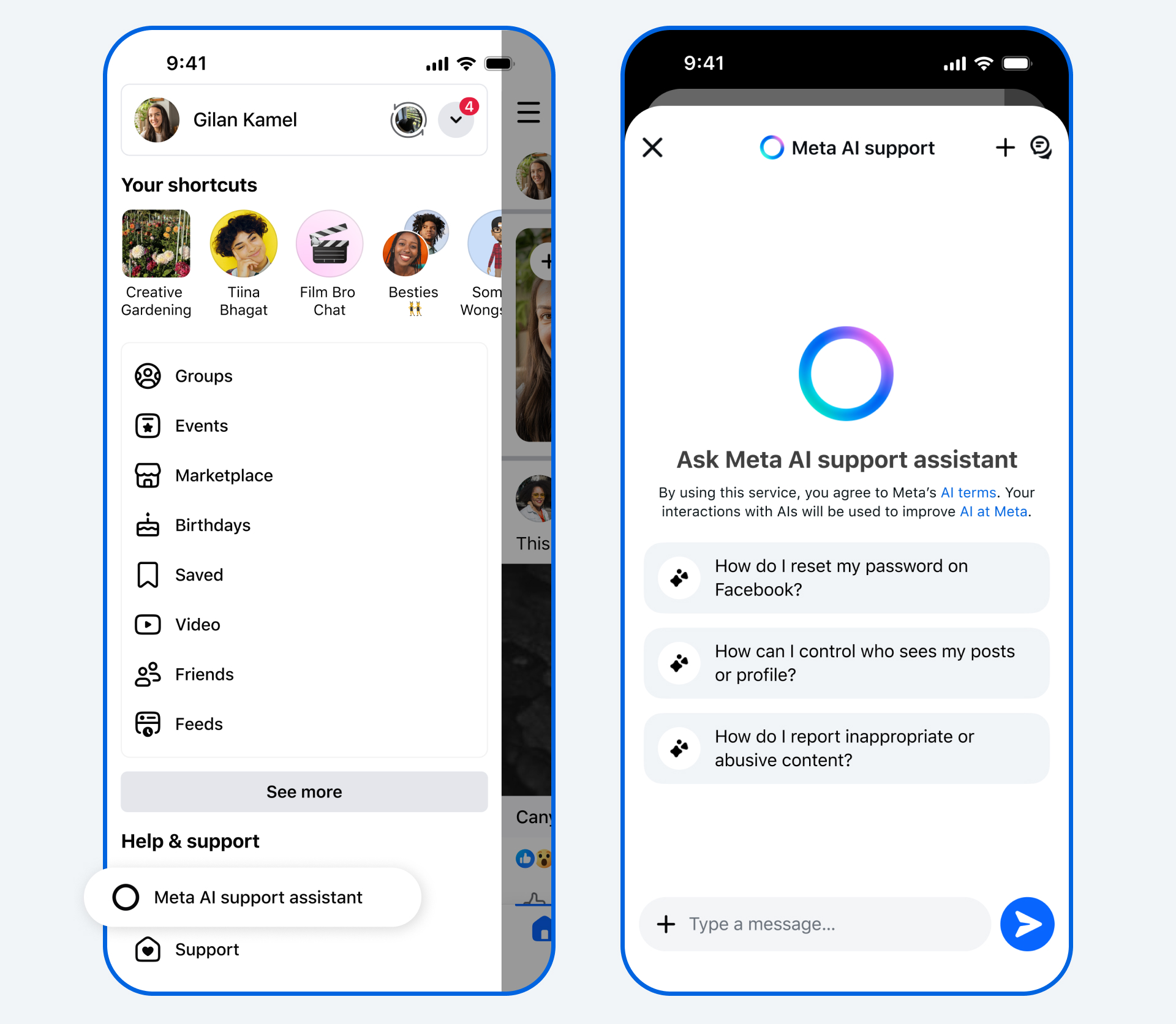
New Artificial Intelligence (AI) tools designed to provide support for users of its applications have been launched by Meta.
The AI Support Assistant will work on the Facebook and Instagram apps, the company said in a statement.
The tools will help users to receive reliable and action-oriented assistance when needed.
In December, the Meta AI support assistant, a tool designed to provide reliable, 24/7 support for nearly any support issue at any time, was previewed.
Now, Meta is rolling it out globally on the Facebook and Instagram apps for iOS and Android, and within Help Centre on Facebook and Instagram on desktop, with even more capabilities and ways to help.
The new Meta AI support assistant is designed to help resolve account problems from start to finish. It offers answers for any question, like notification settings or new features, and can also take action for users on a growing set of requests directly within Facebook and, in the future, on Instagram.
The feature can report scams, impersonation accounts, or problematic content, make it easier to see why content was taken down, provide appeal options, track what happens next, manage privacy settings, reset passwords, and update profile settings.
The Meta AI support assistant can respond to requests typically in under five seconds, dramatically reducing wait times compared to traditional help centre searches or seeking answers on external websites.
“The Meta AI support assistant is a major step in our work to deliver stronger support on our apps. In fact, among people who have provided feedback, the majority report a positive experience with the Meta AI support assistant. It’s rolling out now in all languages supported by Facebook and Instagram for support topics.
“We’re continuing to invest in AI- powered tools to make support more accessible, reliable, and effective — and we’ll keep evolving the Meta AI support assistant as more people use it and as the technology advances, so it continues to improve over time,” the organisation disclosed.
Meta has also deployed AI to improve content enforcement to help users reduce the chance that scammers trick people into giving away their login details, ultimately finding and mitigating 5,000 scam attempts per day that no existing review team had caught before.
Meta said over the next few years, it would be deploying these more advanced AI systems across its apps once they consistently perform better than its current methods of content enforcement, transforming its approach.
“As we do this, we’ll reduce our reliance on third-party vendors for content enforcement and focus on strengthening our internal systems and workforce.
“While we’ll still have people who review content, these systems will be able to take on work that’s better-suited to technology, like repetitive reviews of graphic content or areas where adversarial actors are constantly changing their tactics, such as with illicit drug sales or scams,” it stated.













-
 Feature/OPED6 years ago
Davos was Different this year
-
Travel/Tourism10 years ago
Lagos Seals Western Lodge Hotel In Ikorodu
-

 Showbiz3 years ago
Estranged Lover Releases Videos of Empress Njamah Bathing
-
 Banking8 years ago
Sort Codes of GTBank Branches in Nigeria
-

 Economy3 years ago
Subsidy Removal: CNG at N130 Per Litre Cheaper Than Petrol—IPMAN
-

 Banking3 years ago
Sort Codes of UBA Branches in Nigeria
-

 Banking3 years ago
First Bank Announces Planned Downtime
-

 Sports3 years ago
Highest Paid Nigerian Footballer – How Much Do Nigerian Footballers Earn