
Connect with us

Technology

Simplify Your Mobile Life with eSIM and Virtual Numbers

Published

on

eSIM Plus

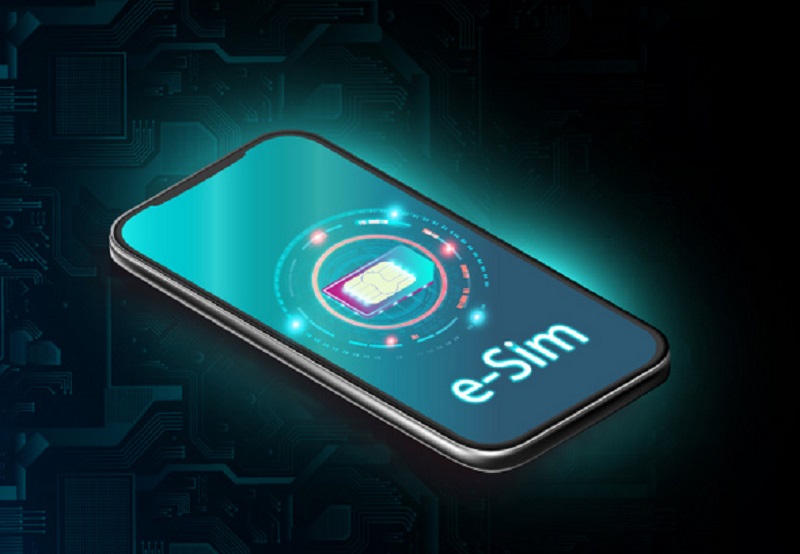
Managing phone numbers used to be a constant hassle. Between personal lines, work numbers, online registrations, and international travel, people often juggled multiple SIM cards, devices, or expensive roaming plans just to stay reachable. Today, eSIMs and virtual phone numbers offer a smarter way to handle communication. One device can manage multiple lines, switch between them instantly, and keep work and personal contacts separate—all without a physical SIM. For travelers, remote workers, and tech professionals, this setup offers efficiency, control, and flexibility that traditional SIM cards simply cannot match.

A virtual phone number is a digital line that exists independently of any physical SIM. Calls and messages are routed through the cloud, meaning the same number can function across multiple devices: smartphone, tablet, or computer. You can pick a local number in another country without actually being there, or maintain separate lines for freelance projects while keeping your personal number private. Virtual numbers also help protect privacy and streamline online activity. They are perfect for temporary projects, online sign-ups, or situations where you do not want to share your main number.

When paired with eSIM technology, virtual numbers become extremely convenient. Platforms like eSIM Plus let users download multiple numbers onto a single device, switch between them instantly, and manage personal and business lines without touching a physical SIM card. Travelers can maintain local numbers abroad, freelancers can manage multiple client contacts, and tech-savvy users gain complete control over their connectivity. eSIM Plus simplifies this process, allowing for seamless integration of digital numbers and minimizing the complications associated with traditional SIMs.

Businesses also find virtual numbers invaluable. They enable companies to create a local presence in multiple regions without the need for physical offices. Calls can be forwarded to employees anywhere, while integration with CRM tools allows monitoring and analytics of communication. For individuals, virtual numbers enhance privacy and simplify digital life. Whether signing up for online services, running a side business, or protecting personal information, virtual numbers provide flexibility and control that traditional numbers cannot offer.

Everyday Scenarios for Virtual Numbers

Virtual numbers are not just a tech gimmick—they solve real problems.

  • International Travel: A traveler can maintain a local number in multiple countries, avoiding expensive roaming fees while staying reachable by family, friends, and colleagues.
  • Remote Work and Freelancing: A consultant or freelancer can separate client communications from personal calls without carrying multiple phones. Multiple virtual lines can support different projects simultaneously.
  • Privacy Protection: Individuals can use temporary numbers for online registrations, dating apps, or marketplace accounts, significantly reducing spam and unwanted contacts.
  • Small Businesses and Startups: Companies can create local contact points in different regions, forward calls to employees, and integrate with communication software for better workflow management.

With eSIMs, managing these numbers becomes effortless. Instead of swapping physical SIM cards, users download the eSIM profile to their device, and virtual numbers become instantly available. This combination provides unparalleled flexibility for modern digital lifestyles.

How Virtual Numbers Work

Getting a virtual number is straightforward. Providers allow you to select a number online, link it to your smartphone or VoIP service, and manage it through an app. Common features include:

  • Call forwarding to any device
  • Text messaging and multimedia messaging

  • Voicemail management

  • Temporary numbers for short-term projects or verification purposes

When integrated with eSIM, the activation process is even faster. Download the eSIM profile to your device, and all your virtual numbers are ready to go. This approach is ideal for travelers, remote workers, and anyone managing multiple lines on a single phone without extra hardware.

Leading eSIM Providers

Several providers lead the market in combining eSIM technology with virtual numbers:

  • eSIM Plus: Offers digital SIMs integrated with virtual numbers, allowing multiple lines on one device. Users can manage personal, business, and international numbers seamlessly, making it perfect for remote workers, travelers, and freelancers.
  • Truphone: Provides global coverage with quick activation. Users can switch numbers without changing SIM cards, ideal for business professionals moving across regions.
  • Airalo: Focused on international travelers, offering cost-effective eSIMs for data and voice in over 190 countries. Airalo simplifies connectivity for tourists and remote workers abroad.
  • GigSky: Offers pay-as-you-go and subscription eSIM plans suitable for frequent travelers and digital nomads. GigSky supports multiple virtual lines on one device.
  • Ubigi: Enterprise-focused, enabling companies to deploy eSIMs and virtual numbers to distributed teams. Employees maintain local numbers across regions without physical SIM swaps.
  • Nomad: Travel-oriented eSIM provider supporting multiple virtual lines on one device. Ideal for digital nomads, remote professionals, and long-term travelers.

These services show how eSIMs and virtual numbers have evolved from niche tech to mainstream tools for managing modern communication efficiently.

Advantages Over Traditional Numbers

Virtual numbers have several key advantages over regular SIM-based numbers:

  • Multiple lines on one device: Manage work, personal, and international numbers without carrying multiple phones.
  • Privacy and control: Easily change or deactivate numbers for temporary projects, online registrations, or spam prevention.
  • Global accessibility: Make and receive calls from anywhere without costly roaming charges.
  • Integration with software: Works with VoIP apps, cloud platforms, and CRMs. Supports automated call routing, analytics, and communication tracking.

Traditional numbers cannot match this flexibility, efficiency, or convenience. Virtual numbers are built for modern workflows and digitally connected lifestyles.

Combining eSIM and Virtual Numbers

The combination of eSIMs with virtual numbers creates a flexible communication system. One device can handle multiple lines for home, work, or international use. Businesses can provide employees with local numbers in multiple regions without physical offices. Travelers can maintain home and foreign numbers without swapping SIM cards.

Consider a freelance consultant traveling across Europe: a virtual number in France, one in Germany, and a personal line—all on a single device. Clients reach local numbers, costs are minimized, and management happens from one interface. This setup highlights the efficiency eSIMs and virtual numbers provide.

Real-World Examples

  1. Remote Work Across Time Zones: An employee in Asia receives calls from North American clients using a local virtual number, avoiding international fees. eSIM profiles allow switching lines based on work hours.
  2. Maintaining Local Presence While Traveling: A business owner visiting multiple countries can maintain virtual local numbers. Clients call local numbers, but calls are forwarded seamlessly.
  3. Privacy and Online Security: Individuals use temporary virtual numbers for online registrations, reducing spam to their primary number.

These examples show why eSIMs combined with virtual numbers are essential for modern digital workflows.

The Future of Connectivity

With the rise of 5G, cloud communications, and AI-powered tools, eSIMs and virtual numbers will become increasingly integral to daily life. Expect tighter integration with business applications, enhanced security features, and instant switching between personal and professional lines.

For travelers, remote workers, and anyone managing multiple contacts, eSIMs paired with virtual numbers are more than a convenience—they’re a smarter, more efficient way to control communication in today’s digital world.


Dipo Olowookere is a journalist based in Nigeria that has passion for reporting business news stories. At his leisure time, he watches football and supports 3SC of Ibadan. Mr Olowookere can be reached via [email protected]

Click to comment

Leave a Reply

Your email address will not be published. Required fields are marked *

Technology

NITDA Hands Over PKI Framework to NIMC to Strengthen Digital Identity

Published

on

NIMC

By Adedapo Adesanya

The National Information Technology Development Agency (NITDA) has transferred its Public Key Infrastructure (PKI) framework to the National Identity Management Commission (NIMC) in a move aimed at strengthening the security of Nigeria’s digital identity ecosystem.

According to a statement issued by NITDA’s Director of Corporate Communications and Media Relations, Mrs Hadiza Umar, the transfer was announced during a formal handover ceremony at NITDA’s headquarters on Thursday.

PKI is a digital security system that helps verify people’s identities online and protects information shared over the internet. It uses encrypted digital certificates to confirm that an individual, business, or government agency is genuinely who they claim to be before sensitive information is exchanged.

It helps prevent identity theft, impersonation, and fraud by ensuring that online transactions and communications are encrypted and can only be accessed by authorised parties.

The handover is expected to provide the technology needed to securely verify the identities of Nigerians as the government expands digital public services under the newly amended NIMC Act.

NITDA’s Director General, Mr Kashifu Inuwa Abdullahi, said the move reflects the agency’s commitment to supporting government institutions using technology to drive national development.

He said NITDA had carried out extensive foundational work on both Public Key Infrastructure and Digital Public Infrastructure (DPI), adding that the agency would work closely with NIMC to ensure a seamless transition of the technology.

“NITDA’s role extends beyond regulation to enabling technology adoption across the country. We will continue to support NIMC and other government institutions embarking on digital transformation initiatives,” he said.

According to him, Digital Public Infrastructure is as important to economic growth as physical infrastructure and must remain secure, reliable, and accessible to all Nigerians.

He added that NITDA remains committed to fostering collaboration, supporting innovation, and ensuring that digital solutions are inclusive.

The handover of the PKI follows the signing of the National Identity Management Commission (NIMC) Act 2026 into law by President Bola Tinubu.

The new Act gives NIMC expanded powers to oversee Nigeria’s digital identity infrastructure as the Commission is now designated as the Root Certification Authority for Nigeria’s National Public Key Infrastructure (PKI) and Digital Public Infrastructure (DPI), placing it at the centre of the country’s digital identity, authentication, and electronic trust framework.

The NIMC Act also seeks to harmonise identity databases across government agencies and establish the National Identification Number (NIN) as the primary means of identity verification and authentication for public service delivery.

On her part, NIMC Director General and Chief Executive Officer, Mrs Abisoye Coker Odusote, described the amended NIMC Act as a major milestone in Nigeria’s identity management journey.

She said the legislation replaces the framework that had been in place since 2007 and provides the legal foundation for transitioning from a traditional identity database to a modern digital identity ecosystem.

According to her, the new system is designed to enable seamless interoperability, improved security, and greater efficiency across both public and private sector platforms.

Mrs Coker Odusote said the transition moves Nigeria away from traditional card-based identity systems toward secure digital credentials built around the principle of “one person, one identity,” giving every Nigerian a unique and verifiable digital identity.

She added that NIMC would implement the transition in carefully planned phases to safeguard citizens’ data and maintain public trust.

Both agencies said the collaboration will help accelerate Nigeria’s digital transformation agenda, with NIMC providing the country’s identity infrastructure while NITDA focuses on regulation, ecosystem development, and expanding technology adoption across the economy.

Continue Reading

Technology

Building Mods in Minecraft (And Where to Talk About Them)

Published

on

Building Mod Minecraft

Vanilla building is fine. But after your tenth dirt house, you want more.

That’s where a minecraft building mod comes in. More blocks. Better tools. Fancy features.

Here’s what actually helps.

What Is a Building Mod Minecraft?

A building mod minecraft is just… a mod for building. Adds new blocks. New ways to place them. Sometimes entire new mechanics.

Could be as simple as more colors of concrete. Could be as complex as machinery that builds for you.

Some popular ones:

  • Chisels & Bits — lets you carve blocks into tiny pieces
  • Create — gears, contraptions, moving parts
  • MrCrayfish’s Furniture Mod — couches, tables, kitchen stuff

I use Chisels & Bits for detailed work. Create cool moving doors. Furniture mod for interiors.

Building Mod Minecraft

Why Use Minecraft Building Mods?

Vanilla has limits. 16 colors of wool. Basic stairs. No furniture.

Minecraft building mods break those limits. Suddenly you have:

  • Slopes and curves (not just blocks)
  • Furniture that actually looks like furniture
  • Micro-blocks for tiny details
  • Schematics — copy and paste builds

It’s not cheating. It’s just more options.

But fair warning — mods can lag. Especially on weak computers. And servers need to install them too.

Finding Good Mods

CurseForge is the main spot. Also Modrinth. Both have tons of minecraft building mods.

Here’s how I pick:

  • Check downloads. More downloads usually means it works
  • Read recent comments. If people say “crashes on 1.20” — skip it
  • Look at screenshots. Does it actually look good?
  • Check the last update. Abandoned mods break on new versions

I avoid anything that hasn’t been updated in a year. Minecraft changes. Old mods die.

Installing Stuff

You need a mod loader. Forge or Fabric. Pick one.

Some mods support multiple loaders, but many are made specifically for Forge, NeoForge, or Fabric. Always check before downloading.

Steps:

  1. Install Forge or Fabric
  2. Download the mod .jar file
  3. Drop it in the mods folder
  4. Launch the game
  5. Done

If it crashes, you probably got the wrong version. Or missed a required library. Read the error. Google it. Fix it.

My Favorite Builds With Mods

Last month I made a working elevator with Create. Gears, pulleys, the whole thing. It took three hours. Broke five times. Worth it.

Also built a modern house with furniture mods. Couch, TV, kitchen sink. Actually, it looked like a real house. Not a dirt box with windows.

And a castle with Chisels & Bits. Carved stone faces into the walls. Tiny details you can’t do in vanilla.

That’s the thing — minecraft building mods let you make stuff that actually looks good. Without being a god-tier builder.

Minecraft building mod

The Community Side

Building alone is fine. But showing people? Better.

I post on Reddit sometimes. r/feedthebeast for modded builds. r/Minecraftbuilds for anything.

But the real talk happens in Discord servers. Specific mod communities. Or general minecraft hosting discussion for communities where people share server ideas.

That’s where you find modpack recommendations. Troubleshooting help. People to play with.

Hosting Modded Servers

Want everyone in the same world? Then you’ll need a server for that. And modded servers are heavier than vanilla.

More mods = more RAM. More CPU. More potential crashes.

That’s why minecraft hosting discussion for communities matters. People share which hosts actually handle modpacks well.

Some hosts advertise “mod support” but lag with 5 mods. Others run 200 mods smoothly. Real user reviews tell the truth.

What to ask:

  • How much RAM for my modpack?
  • SSD or HDD? (SSD, always)
  • Do they help with mod setup?
  • What’s their actual uptime?

Common Mod Problems

I’ve hit all of these.

Version mismatch. Mod is for 1.19, you’re on 1.20. Crash.

Missing dependency. Mod needs another mod to work. Read the description. Install the required stuff.

Conflicting mods. Two mods change the same thing. Hard to fix. Remove one.

Server-client mismatch. You have mods the server doesn’t. Or vice versa. Exact same mod list on both sides. Every time.

Lag. Too many mods. Or one bad mod. Test by removing half. See if lag stops. Repeat.

Modpacks vs Individual Mods

Downloading mods one by one sucks. You forget dependencies. Version mix. Headache.

Modpacks fix this. Curated collections. Everything tested together. One download.

Examples:

  • FTB Academy — teaches mods gradually
  • All the Mods — huge collection, everything included
  • Create: Above and Beyond — focused on Create mod with progression

I use modpacks for multiplayer. Individual mods for single player when I want specific stuff.

The Future of Building Mods

1.21 changed some things. New block formats. Mods had to adapt.

But the community is fast. Most popular minecraft building mods updated within weeks.

NeoForge vs Forge split affects things too. Some mods only support one. Check before you install anything.

Fabric is lightweight and full of performance mods, while Forge and NeoForge still support many of the biggest content-heavy modpacks.

Bottom Line

Building in vanilla is fine. But a good building mod minecraft makes it way better. More blocks. More detail. More fun.

Find mods on CurseForge. Test them. See what fits your style.

Join minecraft hosting discussion for communities if you need server advice. Real people, real experience. That’s it. Go download something and build weird stuff.

Continue Reading

Technology

The Best AI Face Swap Tools in 2026: A Complete Guide

Published

on

AI Face Swap Technology

The Rise of AI Face Swap Technology

AI face swap technology has evolved from a novelty into a powerful creative tool. What once required professional video editing software and hours of manual work can now be done in seconds with a single click. Fueled by advances in deep learning and generative AI, face swap tools have become remarkably realistic and accessible. By 2026, millions of content creators, marketers, filmmakers, and everyday users rely on these tools for entertainment, business, and personal projects. As the technology matures, choosing the right tool has never been more important — or more competitive.

How to Use AI Face Swap in Your Work and Daily Life

AI face swap tools are no longer just for fun — they’re reshaping how we work and communicate:

  • Content Creation & Social Media: Swap faces to create viral memes, funny videos, or personalized content that drives engagement on TikTok, Instagram, and YouTube.
  • Marketing & Advertising: Brands use face swap to localize ad campaigns by replacing models with regional faces, saving time and budget on reshoots.
  • Film & Video Production: Indie filmmakers use AI face swap for de-aging effects, stunt doubles, or recreating scenes without expensive CGI.
  • E-Commerce & Fashion: Virtual try-on experiences let shoppers see how they’d look in different outfits or hairstyles.
  • Personal Fun: Swap your face onto movie characters, historical figures, or your favorite celebrities for entertaining social content.
  • Education & Training: Create realistic training simulations or educational videos with customized faces.

How to Judge a Good AI Face Swap Tool

Not all face swap tools are created equal. Here’s what to look for:

  • Realism & Quality: Smooth blending, accurate skin tone matching, and consistent lighting.
  • Speed: Results in seconds, not minutes.
  • Ease of Use: An intuitive interface for non-technical users.
  • Privacy & Security: Clear data policy — no storing images without consent.
  • Multi-Format Support: Handles photos, videos, and real-time swaps.
  • Customization Options: Fine-tuning for expression, angle, and lighting.
  • Pricing & Value: Transparent pricing with a free tier or trial.

Part 4: Top 5 AI Face Swap Tools in 2026

🥇 1. Easemate — Best Overall Pick

Website: https://www.easemate.ai/

AI Face Swap Technology

🔑 Key Features: Supports photo & video face swapping with real-time preview, batch processing, automatic skin tone matching, intelligent lighting adjustment, and multi-face detection for group photos. Privacy-first design — images are never stored without consent.

✅ Pros: Exceptional realism with accurate edge detection and shadow rendering. Lightning-fast even for HD video. Beginner-friendly interface with zero technical knowledge required. Flexible, affordable pricing for individuals and teams. Strong privacy policy for peace of mind.

❌ Cons: Batch video processing and 4K export require a paid plan.

2. DeepFaceLab — Best for Advanced Users & Filmmakers

DeepFaceLab

🔑 Key Features: Deep neural network-based swaps with full control over face alignment, blending modes, mask refinement, and custom model training on personal datasets.

✅ Pros: Completely free and open-source. Unmatched customization for experienced users. Huge active community with tutorials and pre-trained models. Ideal for long-form video and cinematic-quality projects.

❌ Cons: Steep learning curve, requires high-performance GPU, no cloud version.

3. Reface — Best for Fun & Social Media

🔑 Key Features: Mobile-first app with a massive library of celebrity clips, movie scenes, GIFs, and meme templates. Real-time facial landmark mapping and one-tap social sharing to Instagram, TikTok, and WhatsApp.

✅ Pros: Extremely easy to use — just take a selfie and pick a template. Library updated regularly with trending pop culture content. Perfect for casual entertainment and viral social content.

❌ Cons: Mobile only; not suitable for professional or high-resolution output.

4. FaceSwapper.ai — Best for Quick, No-Fuss Photo Swaps

🔑 Key Features: Browser-based, one-click photo face swap with no account required. Supports JPG, PNG, and WEBP formats. Developer-friendly API for app integration and automated workflows.

✅ Pros: Zero-signup experience — incredibly accessible for one-off tasks. Fast, straightforward, and frictionless. Robust API for developers needing programmatic access.

❌ Cons: Limited video support and fewer customization options. Best for simple, single-image use cases.

5. Vidnoz AI — Best All-in-One Video Platform

🔑 Key Features: Full video creation suite including face swap, AI avatar generation, text-to-video, voice cloning, lip-sync dubbing, and multilingual video translation. Face swap integrates seamlessly with the broader production workflow.

✅ Pros: Outstanding value as a multi-function platform. Solid video output quality with regular improvements. Generous free tier available. Great for businesses producing localized or multilingual video content at scale.

❌ Cons: Face swap is a secondary feature — lacks the depth and advanced controls of dedicated tools.

Part 5: Conclusion

AI face swap in 2026 is smarter and more accessible than ever. Among all options, Easemate stands out as the best all-around choice — combining professional-grade quality with an effortless experience and a privacy-first approach. Start with Easemate today.

Part 6: FAQ

Q1: Is AI face swap legal?
Yes, for personal and creative use. Using it for deception or non-consensual imagery is illegal in many jurisdictions.

Q2: Is Easemate free?
It offers a free tier; premium plans unlock batch processing and high-res video output.

Q3: Can these tools work on videos?
Yes — Easemate, DeepFaceLab, and Vidnoz AI all support video face swapping.

Q4: How do I protect my privacy?
Choose platforms with clear privacy policies. Easemate is known for its privacy-first approach.

Q5: Photo vs. video face swap — what’s the difference?
Photo swap is faster and simpler. Video requires frame-by-frame processing but delivers more impressive results.

Q6: Do I need technical skills?
Not at all! Tools like Easemate are designed for everyday users — just upload and let the AI handle the rest.

Continue Reading