

Technology
Building Mods in Minecraft (And Where to Talk About Them)

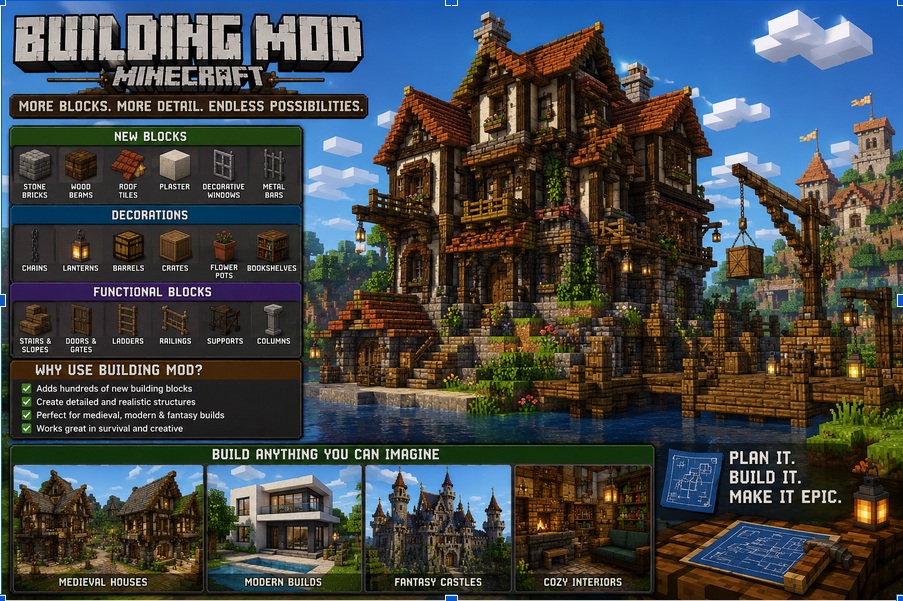
Vanilla building is fine. But after your tenth dirt house, you want more.
That’s where a minecraft building mod comes in. More blocks. Better tools. Fancy features.
Here’s what actually helps.
What Is a Building Mod Minecraft?
A building mod minecraft is just… a mod for building. Adds new blocks. New ways to place them. Sometimes entire new mechanics.
Could be as simple as more colors of concrete. Could be as complex as machinery that builds for you.
Some popular ones:
- Chisels & Bits — lets you carve blocks into tiny pieces
- Create — gears, contraptions, moving parts
- MrCrayfish’s Furniture Mod — couches, tables, kitchen stuff
I use Chisels & Bits for detailed work. Create cool moving doors. Furniture mod for interiors.
Why Use Minecraft Building Mods?
Vanilla has limits. 16 colors of wool. Basic stairs. No furniture.
Minecraft building mods break those limits. Suddenly you have:
- Slopes and curves (not just blocks)
- Furniture that actually looks like furniture
- Micro-blocks for tiny details
- Schematics — copy and paste builds
It’s not cheating. It’s just more options.
But fair warning — mods can lag. Especially on weak computers. And servers need to install them too.
Finding Good Mods
CurseForge is the main spot. Also Modrinth. Both have tons of minecraft building mods.
Here’s how I pick:
- Check downloads. More downloads usually means it works
- Read recent comments. If people say “crashes on 1.20” — skip it
- Look at screenshots. Does it actually look good?
- Check the last update. Abandoned mods break on new versions
I avoid anything that hasn’t been updated in a year. Minecraft changes. Old mods die.
Installing Stuff
You need a mod loader. Forge or Fabric. Pick one.
Some mods support multiple loaders, but many are made specifically for Forge, NeoForge, or Fabric. Always check before downloading.
Steps:
- Install Forge or Fabric
- Download the mod .jar file
- Drop it in the mods folder
- Launch the game
- Done
If it crashes, you probably got the wrong version. Or missed a required library. Read the error. Google it. Fix it.
My Favorite Builds With Mods
Last month I made a working elevator with Create. Gears, pulleys, the whole thing. It took three hours. Broke five times. Worth it.
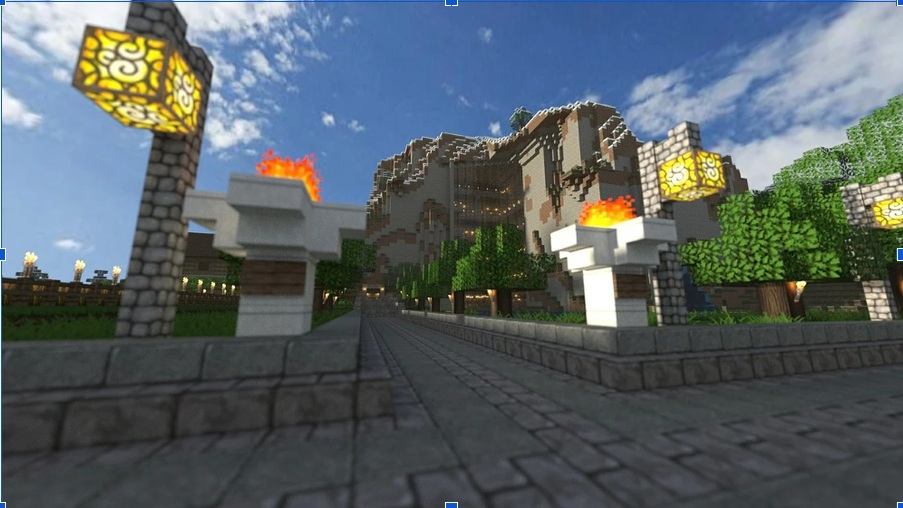
Also built a modern house with furniture mods. Couch, TV, kitchen sink. Actually, it looked like a real house. Not a dirt box with windows.
And a castle with Chisels & Bits. Carved stone faces into the walls. Tiny details you can’t do in vanilla.
That’s the thing — minecraft building mods let you make stuff that actually looks good. Without being a god-tier builder.
The Community Side
Building alone is fine. But showing people? Better.
I post on Reddit sometimes. r/feedthebeast for modded builds. r/Minecraftbuilds for anything.
But the real talk happens in Discord servers. Specific mod communities. Or general minecraft hosting discussion for communities where people share server ideas.
That’s where you find modpack recommendations. Troubleshooting help. People to play with.
Hosting Modded Servers
Want everyone in the same world? Then you’ll need a server for that. And modded servers are heavier than vanilla.
More mods = more RAM. More CPU. More potential crashes.
That’s why minecraft hosting discussion for communities matters. People share which hosts actually handle modpacks well.
Some hosts advertise “mod support” but lag with 5 mods. Others run 200 mods smoothly. Real user reviews tell the truth.
What to ask:
- How much RAM for my modpack?
- SSD or HDD? (SSD, always)
- Do they help with mod setup?
- What’s their actual uptime?
Common Mod Problems
I’ve hit all of these.
Version mismatch. Mod is for 1.19, you’re on 1.20. Crash.
Missing dependency. Mod needs another mod to work. Read the description. Install the required stuff.
Conflicting mods. Two mods change the same thing. Hard to fix. Remove one.
Server-client mismatch. You have mods the server doesn’t. Or vice versa. Exact same mod list on both sides. Every time.
Lag. Too many mods. Or one bad mod. Test by removing half. See if lag stops. Repeat.
Modpacks vs Individual Mods
Downloading mods one by one sucks. You forget dependencies. Version mix. Headache.
Modpacks fix this. Curated collections. Everything tested together. One download.
Examples:
- FTB Academy — teaches mods gradually
- All the Mods — huge collection, everything included
- Create: Above and Beyond — focused on Create mod with progression
I use modpacks for multiplayer. Individual mods for single player when I want specific stuff.
The Future of Building Mods
1.21 changed some things. New block formats. Mods had to adapt.
But the community is fast. Most popular minecraft building mods updated within weeks.
NeoForge vs Forge split affects things too. Some mods only support one. Check before you install anything.
Fabric is lightweight and full of performance mods, while Forge and NeoForge still support many of the biggest content-heavy modpacks.
Bottom Line
Building in vanilla is fine. But a good building mod minecraft makes it way better. More blocks. More detail. More fun.
Find mods on CurseForge. Test them. See what fits your style.
Join minecraft hosting discussion for communities if you need server advice. Real people, real experience. That’s it. Go download something and build weird stuff.