

General
Presentation Video Production Costs: Budget for Review and Updates


Presentation video production costs include preparing the source, producing the video, reviewing the result and maintaining later versions. Build the budget around those tasks so a low initial export cost does not hide the work required to deliver a usable file.
This promotional guest article introduces Leadde.ai as one production option for converting presentation material into video. Its public page describes a presentation-to-video workflow; the worksheet below separates staff time, quoted charges and later updates so a team can estimate the work from its own inputs.
What belongs in presentation video production costs?
Include source preparation, script editing, production, review, delivery and expected maintenance. Scope those tasks against the deliverable: a narrated export of a finished deck requires different work from rewriting a meeting presentation for people who will watch alone.
Specify the source deck, audience, language, output formats and review responsibilities. Include the written materials that must accompany the video, such as a transcript, captions or a maintained reference page.
Then identify the work that already exists. Approved narration may reduce preparation effort. A deck containing only presenter prompts may require a substantial script rewrite before any tool can produce a coherent explanation.
| Cost category | Work to estimate | Input for your worksheet |
|---|---|---|
| Source preparation | Check facts, clean slides, gather assets | Expected staff hours |
| Script editing | Write speech and match it to scenes | Expected staff hours |
| Production | Import, assemble, generate and export | Labour and quoted tool cost |
| Review | Check content, language and final file | Reviewer hours |
| Delivery | Package files and update destinations | Publishing hours |
| Maintenance | Revise affected scenes later | Expected changes and effort |
Fill these budget headings with your team’s estimates and current supplier quotations. The table supplies the categories; it contains no industry-average rates.
Decide how much transformation the deck needs
Review the source as if you had never attended the meeting. Can you explain the main point from the slides alone? If the speaker supplied the missing explanation, include time to write that material into the script.
A direct PowerPoint export may suit a finished presentation with prepared narration and timings. Microsoft’s video export documentation explains the relevant export choices for supported editions.
A deck designed around a live speaker may need different scenes, clearer transitions and a new script. List those editing tasks in the brief and budget before choosing the production tool.
Leadde’s guide to turning PowerPoint slides into AI lecture videos offers additional context on adapting slides into a narrated lesson. For a business presentation, apply the same audience-first question: what does someone need when the original presenter is absent?

AI-generated planning scene showing source preparation work included in presentation video production costs.
Use a worksheet with real inputs
A simple estimate can combine labour, quoted production charges and separately listed extras. Keep the assumptions visible so another person can revise them.
For each task, multiply estimated hours by the applicable internal rate or supplier rate. Add actual quoted charges for tools, licensed assets or external services where relevant. Do not count the same work twice if a supplier package already includes it.
An illustrative worksheet might have these columns:
| Task | Estimated hours | Rate source | Included in supplier quote? | Owner |
|---|---|---|---|---|
| Script revision | Team estimate | Internal planning rate | Confirm | Content editor |
| Scene assembly | Team or supplier estimate | Current quotation | Confirm | Producer |
| Subject review | Reviewer estimate | Internal planning rate | Confirm | Process owner |
| Additional language | Separate scoped estimate | Current quotation | Confirm | Language reviewer |
| Final packaging | Publishing estimate | Internal planning rate | Confirm | Delivery owner |
Calculate the first-release estimate as the sum of each task’s hours multiplied by its applicable rate, plus separately quoted charges. Show later updates as a separate line, and state which revisions are already included in the production quote.
Record the estimate date. Tool plans, supplier terms and the scope of included revisions can change, so retain the quotation used for the decision.
Budget review as a production task
Budget time for a reviewer to compare the explanation with the approved source, inspect visual details and test the final export where it will be used.
Assign these checks to the people who can resolve them: a content reviewer for omitted conditions, a language reviewer for misleading phrases, and a publishing editor for details such as an outdated link on the final card.
W3C’s writing guidance includes clear instructions and meaningful link text. These are useful review questions when a presentation video tells viewers what to do next.
Limit avoidable rework by approving the script before polishing every scene. A late change to the main message can affect narration, captions, visuals and multiple formats at once.
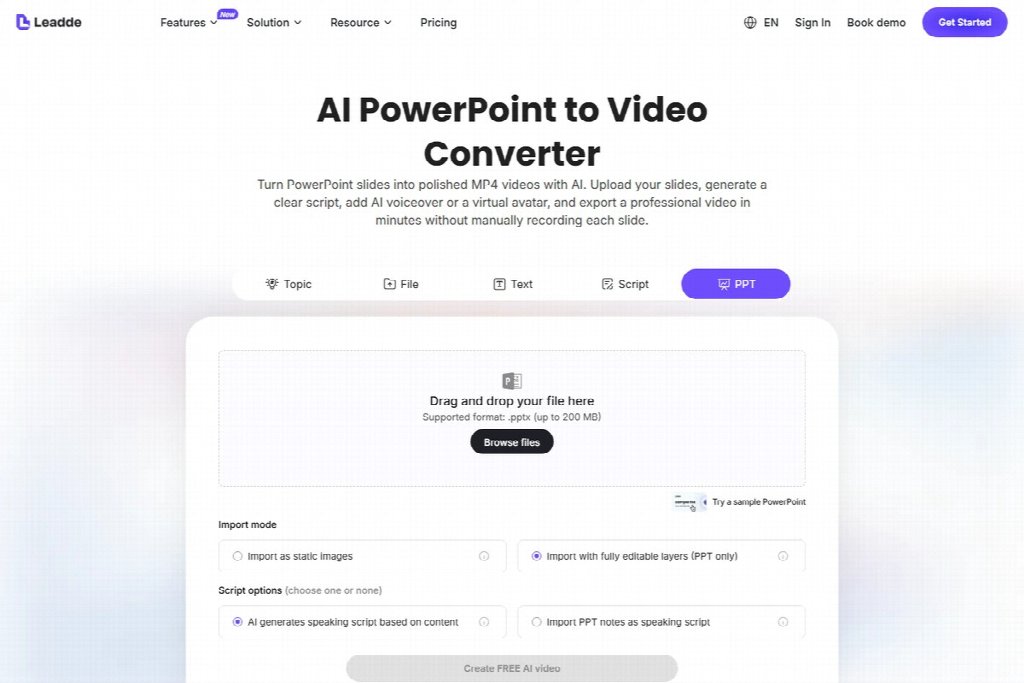
Public Leadde page for presentation video production costs, captured on September 10, 2026; not a hands-on test.
Ask whoever supplies the production estimate to state what counts as a revision. Correcting a mispronounced name, replacing a source slide and adding another language may involve different work. List the agreed review rounds, output formats and responsibility for captions beside the quote. If a requested change falls outside that scope, price it separately before approving it so the team can compare the revised estimate with the original.
Include the likely update path
Ask which parts of the message change frequently. Dates, interface screenshots, contact details and process steps often have different owners and revision cycles.
Separating details that change into their own scenes may make later edits easier to estimate. Test that arrangement in your workflow before including any saving in the budget.
| Change | Work to include in the update estimate |
|---|---|
| Contact details change | Revise scene, captions and destination |
| Procedure changes | Recheck script and affected visuals |
| New output format | Adjust crop, layout and final review |
| Additional language | Translate and review all relevant layers |
| Source deck replaced | Compare versions before deciding the edit scope |

AI-generated review scene illustrating revision work that affects presentation video production costs.
Keep maintenance separate from the first-release estimate when that makes the decision clearer. A purchaser should be able to see both the initial project and the assumptions about future work.
Questions to settle before approving the budget
Is cost per finished minute enough?
It can be a quotation unit, but it does not describe how much source cleanup, visual work or review is required. Compare quotations against the same scope.
Should internal staff time be included?
Include it when you need to understand the project’s workload or compare production approaches fairly. Make the rate assumption explicit rather than presenting it as a universal cash expense.
Can an AI tool remove the review budget?
Generation can change the production workload. Keep time in the budget to verify the source, check that the video preserves its statements and approve the final file.
Before approving the full budget, estimate preparation, production and review for a representative section of the deck. Apply those findings to the remaining material and record which changes in scope would require a new estimate.



Pingback: Costos de producción de videos de presentación: presupuesto para revisión y actualizaciones - Noticias Bolivia