

General
The Poster That Breathes: Designing Visuals That Feel Alive Even When Still

Have you ever noticed a poster that seemed to move, not actually, but emotionally? Perhaps its colors seemed to pulse or the composition changed with your eyes. That’s the magic of visual rhythm, when static design seems cinematic, living, and breathing.
With Dreamina, making that illusion happen is a breeze. You can create your posters to appear as if they’re breathing in color and breathing out mood, fueled by creativity and the magic of an AI photo generator that transforms rich descriptions into expressive designs.An actually great poster moves the eye, even statically. It directs attention as choreography, each color and shape is part of a silent dance.
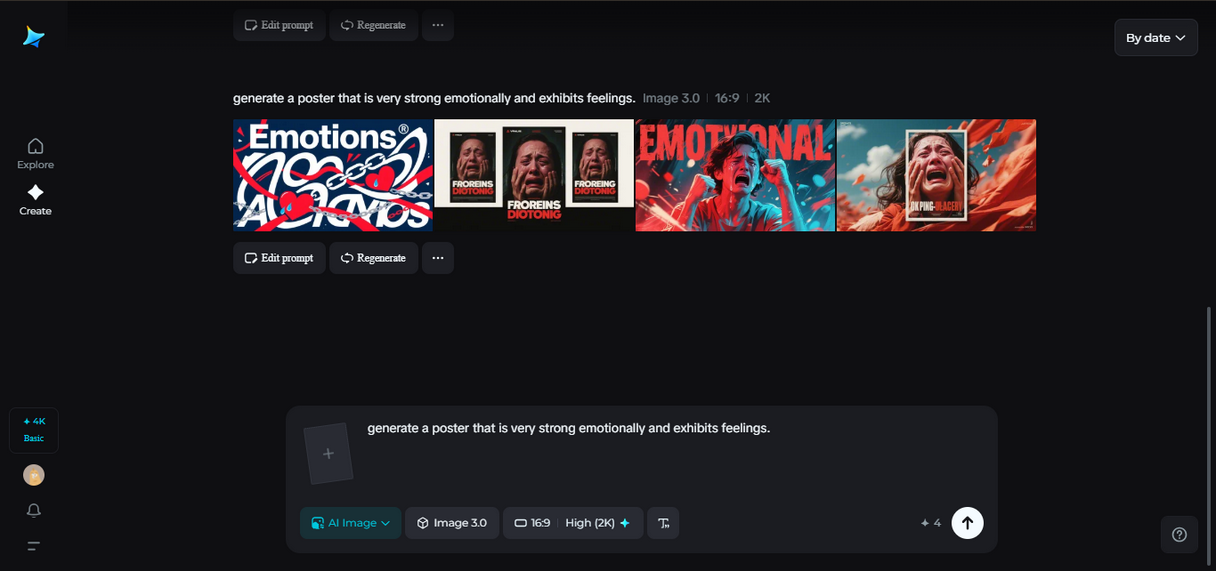
Here’s how designers create static images that seem alive:
-
Directional flow: Diagonal or curved lines imply movement.
-
Circular composition: Reeks of energy captured during spin.
-
Gradient play: Gradual color transitions mimic emotional movement.
Emotional pacing: imparting stillness with a heartbeat
Emotion in a piece of design isn’t about faces or movement; it exists in pacing, the way contrast, tone, and texture work together. Much like film, where tension builds and then abates, posters can convey rhythm in visual contrast and silence.
Designers build this heartbeat by:
-
Blending light and dark areas to replicate pulses of energy and serenity.
-
Employing color temperature changes — to cool, warm — to convey mood shift.
-
Creating layered depth, so that observers feel air and space even on a two-dimensional surface.
Creating a poster that feels cinematic
To create something cinematic, start thinking like a storyteller. What moment are you stopping in time? What feeling should resonate beyond the edge of the frame?
Cinematic posters tend to feature:
-
Thoughtful framing — all that leads the viewer in one emotional direction.
-
Atmospheric lighting — the shadows are as full of feeling as highlights.
-
Anticipation — the feeling that the next frame is about to be cut in.
When silence speaks louder
Action doesn’t always arise out of noise. Sometimes, sparse design shouts louder than a dense one.
For example:
-
One feather drifting across black space can feel like time standing still.
-
A whispery ripple over calm water evokes emotional tension.
-
A texture dissolving into nothing feels like wind blowing through light.
Bringing identity to logos
Even little things like logos can have rhythm. A new logo isn’t necessarily stiff; it can be fluid, as if it’s part of an organism. Designers can create marks that “breathe” by tweaking form, gradient, or weight.
This is where an AI logo generator proves useful. It allows one to try out infinite combinations of shape and mood until the symbol begins to feel at home, not stiff but alive. Such a logo not only represents a brand but moves in tandem with its narrative.
Giving your poster life with Dreamina
Now that you’ve learned about how emotion and rhythm inform design, it’s time to create your own living visual with Dreamina. Its workflow is creative, quick, and unexpectedly intuitive.
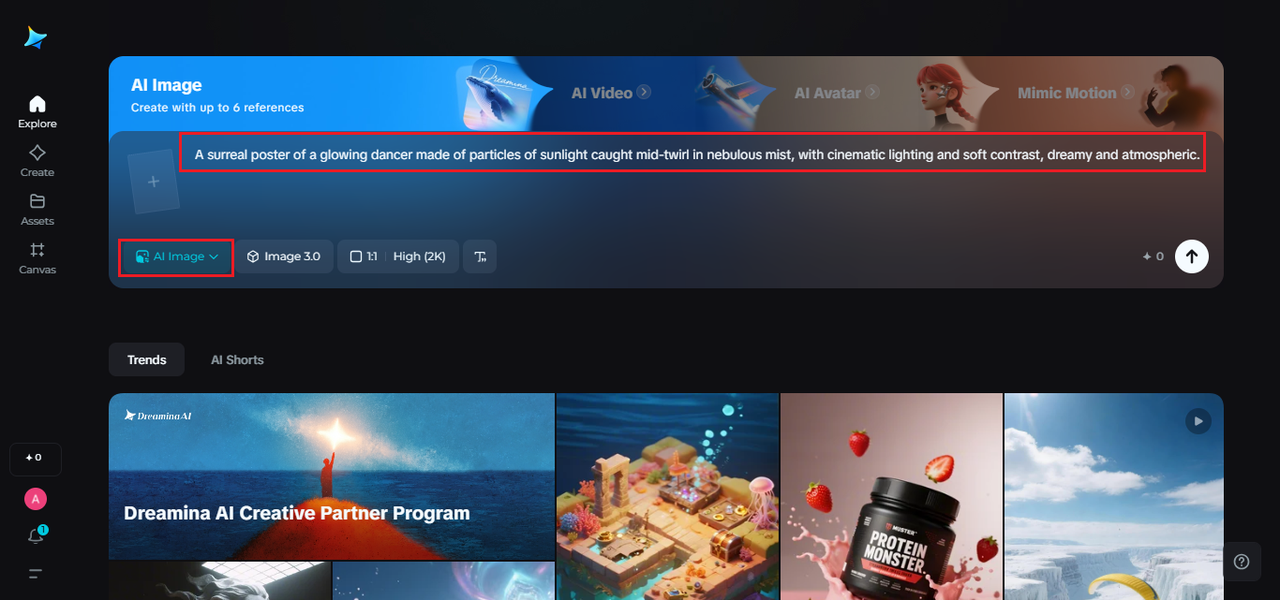
Step 1: Write a text prompt
Navigate to Dreamina and start off by articulating your vision, and be as colorful and passionate as you can. Think of your words like paint strokes. The more descriptive you can be with your words, the more life your image will possess.
Example prompt:
A surreal poster of a glowing dancer made of particles of sunlight caught mid-twirl in nebulous mist, with cinematic lighting and soft contrast, dreamy and atmospheric.
The detail is Dreamina’s way of knowing the rhythm and feeling you are looking for, this is how stillness begins to move.
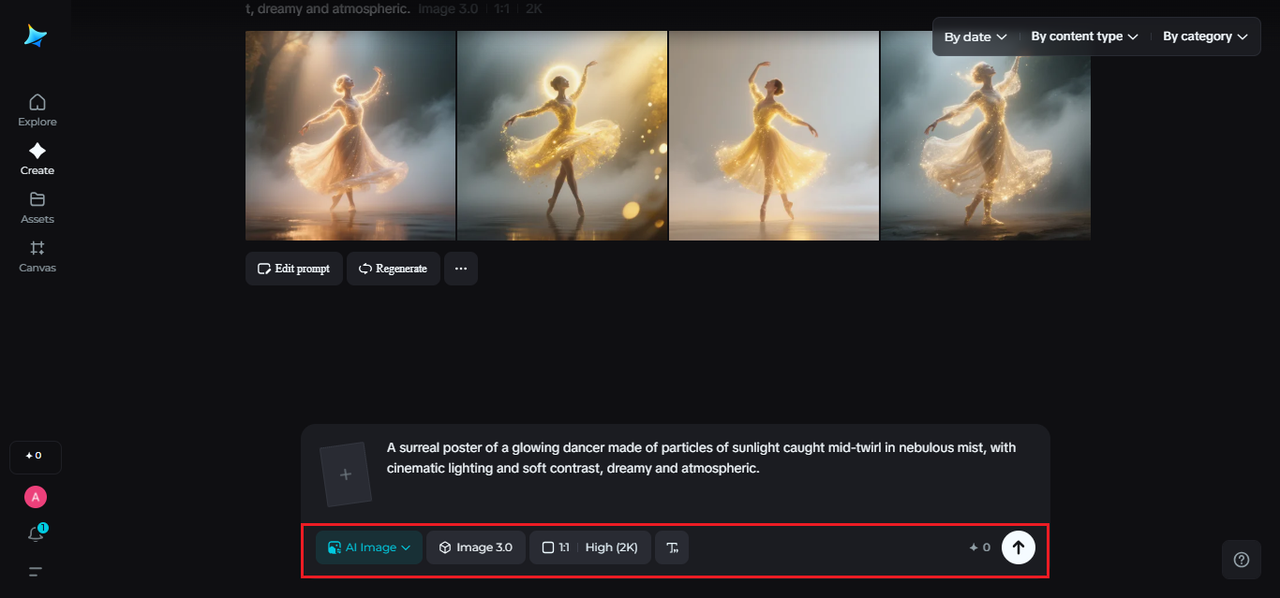
Step 2: Adjust parameters and generate
The next stage is setting the details of your prompt. After interpreting, select the aspect ratio of the model based on your final posters layout, either vertical or landscape. Next, select a resolution and size, choose 1K for early drafts and 2K for fully requested post-production.
When ready, simply select Dreamina’s icon and the purely automated generation process will begin. In a moment’s time, you will experience concept materialize as a visual pulse full of depth and atmospheric feeling.
Step 3: Customize and download
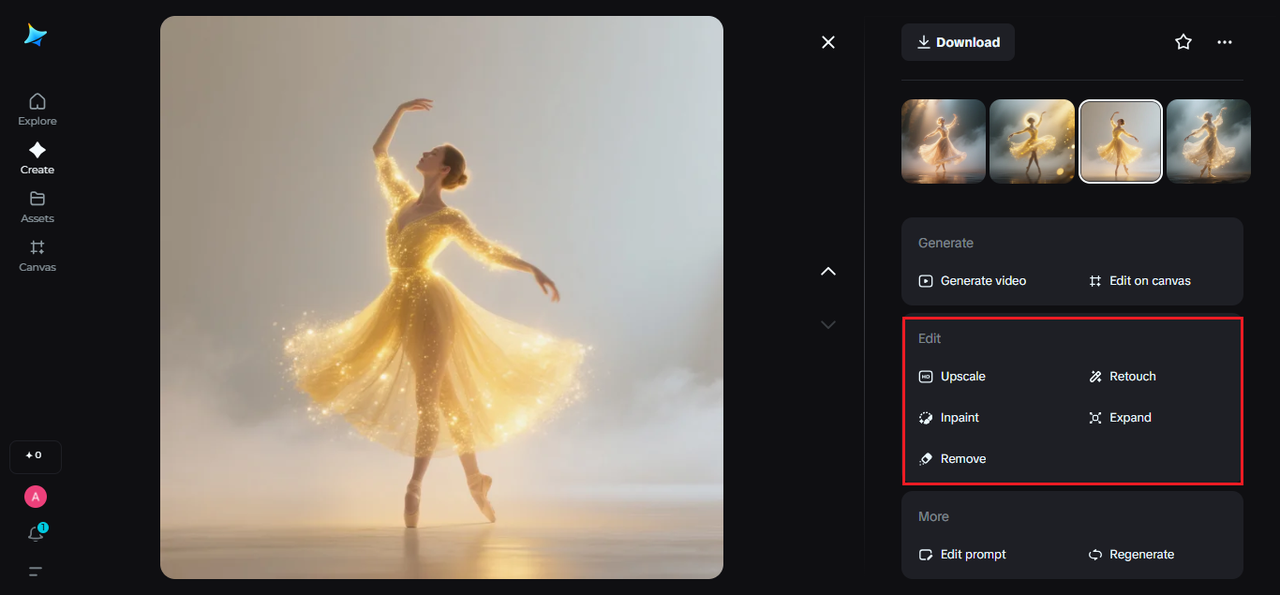
People often talk about polishing up images with tools like those in Dreamina. You can try inpaint feature to sort out small details. Or expand the whole thing to make the composition broader. Remove those annoying distractions too. Retouch helps refine the overall tone.
When the image starts to feel balanced. It breathes softly with its light and colors. That is the time to hit download. You end up with a static design. Yet it carries emotional movement.
Editing: the art of breathing room
After the initial generation, editing makes the poster come alive. Subtle tweaks matter a lot. Think of a soft edge here. A shadowed spot in the corner there. Even shifting the color temperature. All that sets the pacing right. The AI image editor shines in this phase. It lets you adjust finely without losing any emotion.
Editing feels like handling breath itself. You add elements. Hold them in place. Then release until the rhythm flows properly.
The final exhale
Creating a poster that breathes means adding feeling to the quiet parts. It stays away from adding actual movement. Instead, it reveals a rhythm. The kind hidden between colors and calm. Dreamina makes it possible. You turn words into images that live and breathe. Start however you want. From a simple prompt. A flowing logo. Or a careful edit. The result is an image pulsing with life. Open Dreamina now. Take a deep breath. Let your next design release a story. It remains still. But clearly full of life.