

Technology
How to Level Up Customer Support Automation Today

One of the most powerful ways to modernize a support team is by optimizing support operations with AI automation.
When implemented thoughtfully, automation doesn’t replace human agents—it elevates them.
Less duplicated work‚ resolving issues faster‚ and providing a consistent experience on different channels․
Since there are many content formats in the current content environment‚ the most effective formats for guidelines are those that are structured‚ practical‚ and focused on “what you can actually do,”‚ as opposed to abstract theory․
This article follows that same intent‚ and seeks to document the journey to better customer support automation‚ without mentioning brand names or links․
1. Automate first‑contact triage with smart workflows
One of the common entry points into support automation is to respond to end customers’ requests as soon as they are received‚ rather than making them wait for a human agent to pick up a chat channel or email, as is customary․
This is done through clever workflows that ask a few questions‚ qualify and classify the issue, and recommend a next best action․
This can mean transferring to a human agent‚ directing the user to a specific help article‚ or beginning a guided self-service flow right within the chat․
It reduces the friction to get started and shows customers they are being heard from the first message․
It reduces the burden on agents because they only see tickets that require human judgement․
In the best implementations‚ the bot feels like a helpful assistant and not a hindrance to the customer reaching a resolution․
2. Route tickets with intelligence, not just speed
Responsiveness is still important‚ but smart routing is what takes automation from simple ticketing to responsive‚ scalable support․
Instead of shuffling tickets to the agent available‚ the system can route based on the subject‚ difficulty‚ language‚ or even expected resolution․
This way, billing problems are routed to billing experts‚ complaints about product setup are routed to technical experts‚ and routine status inquiries are routed to agents who can handle volume․
For example‚ clever routing could send high-touch or high-stakes tickets to a more senior agent or tickets that ask the same question repeatedly to agents specialized in a specific workflow․
It’s this kind of intelligence that allows teams to be faster and happier when they are thinking of routing-based automation beyond simple round robin distribution․
3. Turn FAQs into self‑service journeys
Another area the current content focuses on is changing the format of FAQs into more interactive self-service experiences that guide customers through flows‚ checklists, or conversational search‚ as opposed to serving them a long list of links‚ making it easier to discover a solution․
This reduces the need to create tickets in the first instance and reduces the support workload by focusing on more high-value ‚ complex interactions․
An organized help center can examine common patterns in failed searches and proactively suggest the most appropriate articles or troubleshooting steps․
It can also serve as the backbone for mini-chatbots that can guide the user through setup‚ configuration‚ or troubleshooting paths without opening a ticket․
When teams invest in AI automation to better support their operation‚ a self-service capability is often one of the first investments made․
4. Automate routine follow‑ups and escalations
In modern ticketing systems‚ the entire life cycle of the ticket from its creation can be automated․
Instead of relying on agents to remember to do a status update‚ a satisfaction survey‚ or an escalation‚ rules can be set up to automate these processes․
For example‚ if a ticket has been placed in the “pending customer reply” state for a specified period of time‚ a notification to the customer can be sent out to remind them‚ or if a complaint has not been resolved within any specified period‚ the ticket can be escalated to a manager․
The result is processes that are always followed‚ never missed SLAs‚ less manual work‚ and agents are freed up from the tedious tracking of time and sending reminders to focus on resolving problems․
A mix of automation and human intervention is often the optimal solution for a better experience for customers and agents alike․
5. Use AI to draft and summarize responses
AI-assisted writing has become the norm to scale support teams‚ with the tool helping staff draft an initial response‚ summarize long email threads‚ and suggest templated replies which agents personalize․
It is especially useful in high-volume or multi-language support environments‚ where replies to common questions must be timely and consistent․
This type of automation doesn’t replace agents‚ but acts as a force multiplier for them‚ ensuring that baseline questions are answered correctly and on-brand‚ while still enabling subtlety and empathy in less obvious situations․
Some teams use AI to translate or simplify support communications for different audiences‚ enabling them to support global customers without needing to hire additional staff․
6. Automate onboarding and welcome communications
Automation can also play an important role in onboarding‚ by providing an automated welcome sequence for new customers to help them get set up‚ implement best practices‚ and learn about key features and resources․
These sequences can incorporate email‚ in-app messages‚ and chat prompts to create a cross-channel experience․
To the support staff who deal with these customers‚ this reduces the number of “I don’t know where to start” help desk questions that pile up in the first few days after signing up․
Perhaps more considerably‚ walking users through the most important workflows has contributed to increased activation and retention rates․
One of the most visible ways to use AI automation in support is by transitioning from firefighting to empowering customers and agents with self-service and insights․
7. Trigger proactive support with behavior signals
An even more advanced form of automation involves proactively reaching out to customers before they reach out to you by identifying usage trends or risk signals based on the way they are using the product․
For example‚ when a user repeats the same action‚ fails to complete a key workflow‚ or is beginning to disengage‚ a system could send a personalized message or offer assistance before the customer churns․
These models may be based on behavioral analytics and artificial intelligence models‚ which have tracked tens of thousands of data points‚ events‚ and user behaviors to identify signals that can be used in a support flow to prevent and surface issues before they arise to improve customer satisfaction․
As well‚ proactive messaging must be finely tuned so as not to be perceived as spam‚ and teams iterate based on feedback and response rates․
8. Automate feedback collection and analysis
Many teams capture this feedback automatically as part of their improvement processes‚ for example‚ automatically sending out a customer satisfaction survey once a ticket is closed or analyzing customer messages to understand the sentiment․
This can also support testing‚ benchmarking‚ tracking performance versus targets‚ identifying trends and patterns to tackle, and prioritizing product or process changes․
For support leaders‚ this automation means raw interaction data is transformed into structured insights․
Instead of manually reviewing tickets‚ they view dashboards containing information about common problems‚ emerging topics‚ agent performance‚ etc․
Another effective way to improve efficiency in support is through AI automation․
Every interaction can be a learning and improvement opportunity․
9. Integrate omnichannel experiences
Omnichannel integration is a common thread in customer support automation workflows․
Customers do not care what channel they are in․
Customers expect the context to move with them as they continue the conversation via chat‚ email‚ phone‚ social media, or in an in-app message․
Automation across channels offers the advantage that each interaction builds on prior interactions‚ instead of beginning with a blank slate․
For example‚ if a customer starts a chat conversation and later sends an email‚ we want to show the chat conversation in the history view for the email conversation‚ and vice versa‚ so that the agent doesn’t have to ask the customer for context each time․
This is a feature that differentiates fragmented support experiences from single-threaded experiences‚ and is a common area of focus for teams modernizing their support workflows․
10. Build a feedback‑driven automation roadmap
The best customer support automation is not a single project․
Top teams start by identifying manual activities that take the most time or happen most often‚ and then determine which of those can be fully or partially automated․
They roll out gradual changes and analyze their effects in order to improve them based on real-world data․
This roadmap often includes:
- Pinpointing the top 20% of support scenarios that consume the most time.
- Designing workflows that combine bots, knowledge bases, and human agents.
- Continuously monitoring metrics like resolution time, satisfaction scores, and agent workload.
By combining this with a full focus on AI automating support operations‚ your support function can be scaled better․
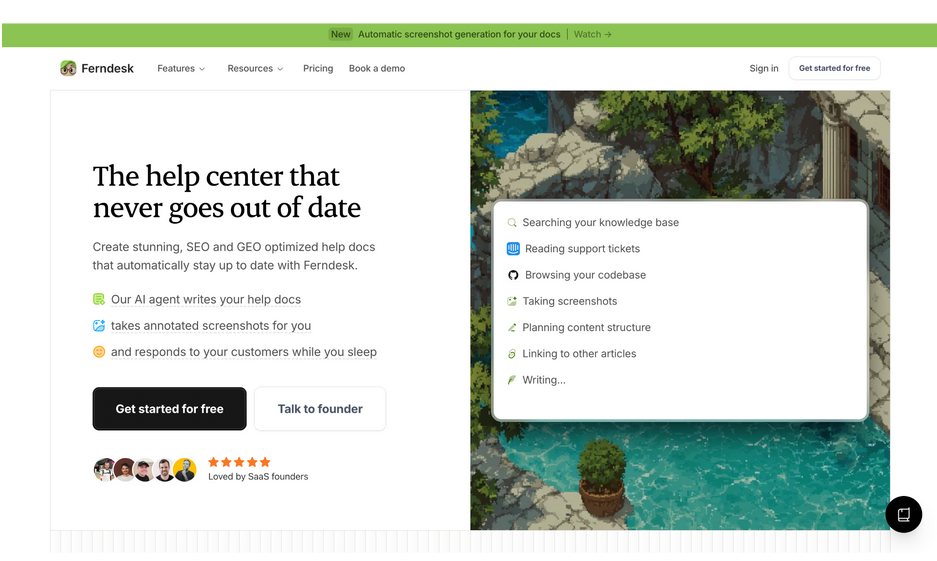
There are options emerging like Ferndesk, which do seem to align with most of these points․
But the fundamental principle remains for any support teams the same: to automate support to be faster‚ smarter, and more human․