

Technology
Modded Hosting With Reliable Backups: Biome Types Guide

Modded Minecraft worlds take weeks to build. Custom biomes, terraformed landscapes, established bases — losing any of it to a corrupted chunk or a failed update is devastating. Backups aren’t optional for modded servers. They’re essential.
Modded hosting with reliable backups protects everything players have built across every minecraft biome types the pack introduces — without requiring manual backup routines that nobody remembers to run.
Why Modded Worlds Are More Vulnerable to Data Loss
Vanilla Minecraft worlds are relatively stable. Modded worlds have more ways to break. Mod updates can corrupt chunk data if block IDs change. Crashes during chunk generation leave partial files. Automated farms that run while no players are online can cause chunk-level issues over time.
Biomes added by mods require extra care. Changing biome mods later can cause unexpected problems. If the old biome data no longer exists, Minecraft may not know how to read parts of the world anymore. The Minecraft Wiki explains that every generated chunk keeps its own biome information in the save. Modded biomes require their mod to be present to load correctly — removing the mod without migrating chunks first causes permanent data loss in those areas.
Minecraft Biome Types: What Mods Add
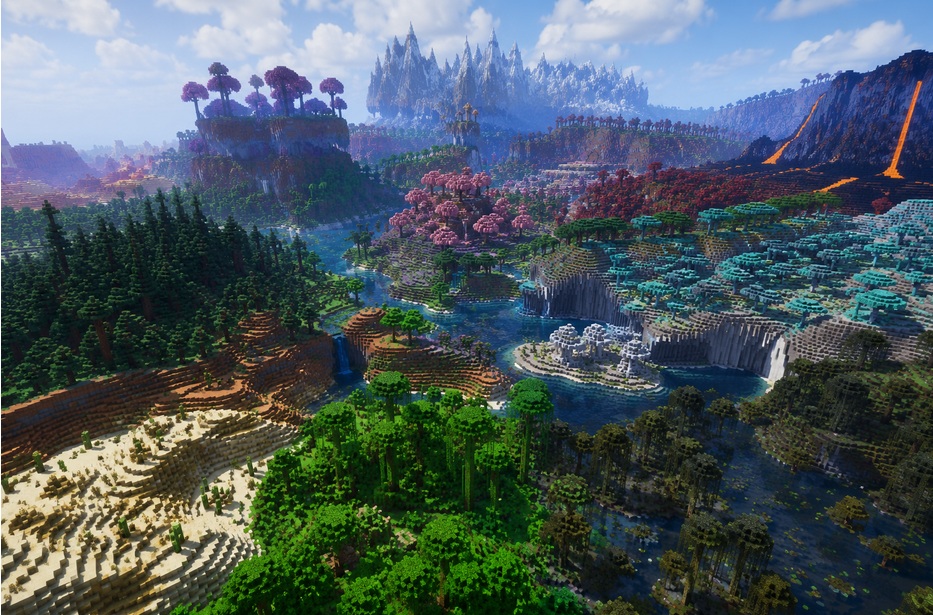
People often focus on giant mountains or rare structures, but smaller biome changes matter too. A carefully designed minecraft grass biome can completely change the appearance of an entire region. Once that combines with improved forests, rivers, and mountain generation, exploration naturally takes longer because there’s almost always another interesting place nearby. There’s a massive difference once biome mods are installed. Biomes O’ Plenty alone adds over 80 biomes. Terralith adds another 95 plus, although it still builds worlds using Minecraft’s regular generation system rather than a custom one. Oh The Biomes You’ll Go adds tropical and fantasy biomes not found in either.
Each of these creates a richer world to explore — and more unique terrain to protect. A player who spends two sessions exploring and settling in a modded cherry blossom grove loses something irreplaceable if that chunk gets corrupted without a backup.
Content creator and modpack player Noxite has described modded biome exploration as one of the most memorable experiences in the game — “every new biome feels like discovering a location that exists only in your world.” Backups protect that discovery.
Many players only start thinking about backups after something goes wrong. It’s surprisingly easy for a modded world to develop problems. Maybe the server restarts halfway through chunk generation, or a mod update changes world data in a way the old save no longer understands. Even experienced server owners don’t get through every update without issues. Sometimes everything looks fine until someone explores a new biome and discovers broken chunks. At that point, having a recent backup is usually the simplest solution instead of trying to repair damaged terrain piece by piece.
What a Reliable Backup System Looks Like for Modded Servers
For modded worlds, backup requirements go beyond vanilla minimums:
- Daily automated backups — at minimum; hourly for active community servers
- Full world backups — not just player data; entire world folder including all dimensions
- Pre-update snapshots — automatic backup triggered before any mod or server update
- Offsite storage — backups stored separately from the server to survive hardware failure
- Easy restoration — one-click restore to a specific backup without technical support

Protecting Every Biome You’ve Explored
Minecraft biomes wiki entries for modded biomes often include notes about save compatibility across versions. The community’s experience is consistent: mod updates break worlds more often than player actions do. Regular backups are the only reliable protection.
Choose modded hosting with reliable backups that runs automatically, stores multiple restore points, and makes restoration simple. The time investment in setting up proper backups is always less than the time lost rebuilding after a preventable data loss event.