Connect with us

Technology

Why Simplicity Now Beats Bigger Motion Suites

Published

on

image2video

Most people do not go looking for motion tools because they love software. They go looking because they already have an image that feels unfinished. It might be a portrait that needs movement, a product shot that needs more energy, or a still frame that needs to become a short social clip. That is why Image to Video AI stood out to me more than many broader video platforms. In this category, the real question is not whether AI can animate an image. The real question is whether it can do so in a way that feels understandable, practical, and repeatable.

69ecc6ead6bb9.webp

A lot of rankings in this space reward spectacle. They favor the system that produces the wildest sample or the most cinematic first impression. That can be fun, but it is not always helpful. In my testing, usefulness came from something less glamorous: how quickly a platform helped me move from a single still image to a result I could actually imagine publishing, refining, or repurposing. When I looked at seven well-known image-to-video platforms through that lens, Image2Video came out first, not because it tries to do everything, but because it keeps the path from idea to output unusually clear.

How I Judged Seven Image Motion Platforms

When I compare tools in this category, I try to judge them like working products rather than as isolated demos. A strong demo says very little about how a tool feels when you bring your own image, your own expectations, and your own creative uncertainty. What matters more is the relationship between control and friction.

Criteria That Matter Beyond Eye Catching Demos

My ranking focused on five practical questions. First, how easy is it to understand the workflow without guessing? Second, how much prompt effort is required before the tool starts producing usable motion? Third, does the platform feel tuned for people starting from a still image rather than for users building full video pipelines? Fourth, are the results good enough for short-form content, concept work, and presentation use? Fifth, does the system make me want to try again after an imperfect first result?

Workflow clarity shaped most of my ranking

That last point matters more than it sounds. Many AI tools can produce one exciting output. Fewer make the user feel oriented. If the interface or product logic is too expansive, the experience can become mentally heavy. In image-to-video creation, that heaviness often kills momentum. The best platform is frequently the one that removes hesitation and helps the user move while their idea is still fresh.

Seven Platforms That Deserve Serious Attention

There are more than seven tools in this market, but these are the seven that most clearly represent different approaches to image-to-video generation today. My ranking below is not a universal truth. It reflects the priorities above: clarity, accessibility, practical output, and how well each tool serves someone starting with a static image.

Rank Platform Best Fit Main Strength Main Tradeoff
1 Image2Video Fast image-to-video creation Clear workflow and low friction Short outputs require precise prompting
2 Runway Broader creative teams Strong ecosystem and creative range Can feel larger than necessary for simple tasks
3 Kling Motion quality seekers Often impressive movement and visual polish Can require more patience and experimentation
4 Pika Social-first creators Fast, playful, accessible generation Less focused on disciplined image-first workflows
5 PixVerse Quick visual experimentation Easy short-form energy and stylized results Output direction can feel less predictable
6 Luma Dream Machine Visual concept development Strong mood and cinematic ambition Not always the simplest path for basic use cases
7 Hailuo AI Curious testers and creatives Interesting generative behavior and variety Results can vary more from prompt to prompt

The list becomes more useful when you stop asking which platform is the most powerful and start asking which one best matches your immediate job. A big creative suite is not automatically better than a focused workflow. Sometimes it is the opposite.

Why Image2Video Comes First In Daily Use

Image2Video ranks first for me because its public structure aligns with what many users actually need. A lot of people arriving at an image-to-video tool are not trying to build a long-form production pipeline. They are trying to animate one image well enough to test an idea, communicate a concept, or publish a short clip. The platform appears to understand that mindset.

A focused product usually wastes less energy

In practice, a focused product often beats a feature-dense one because it reduces decision fatigue. Instead of pushing the user into a larger ecosystem before they know what they want, Image2Video emphasizes a straightforward sequence. That matters. It keeps attention on the source image, the intended motion, and the resulting clip rather than on the surrounding machinery.
69ecc791cf913.webp ​​​​​​​

The official path stays short and understandable

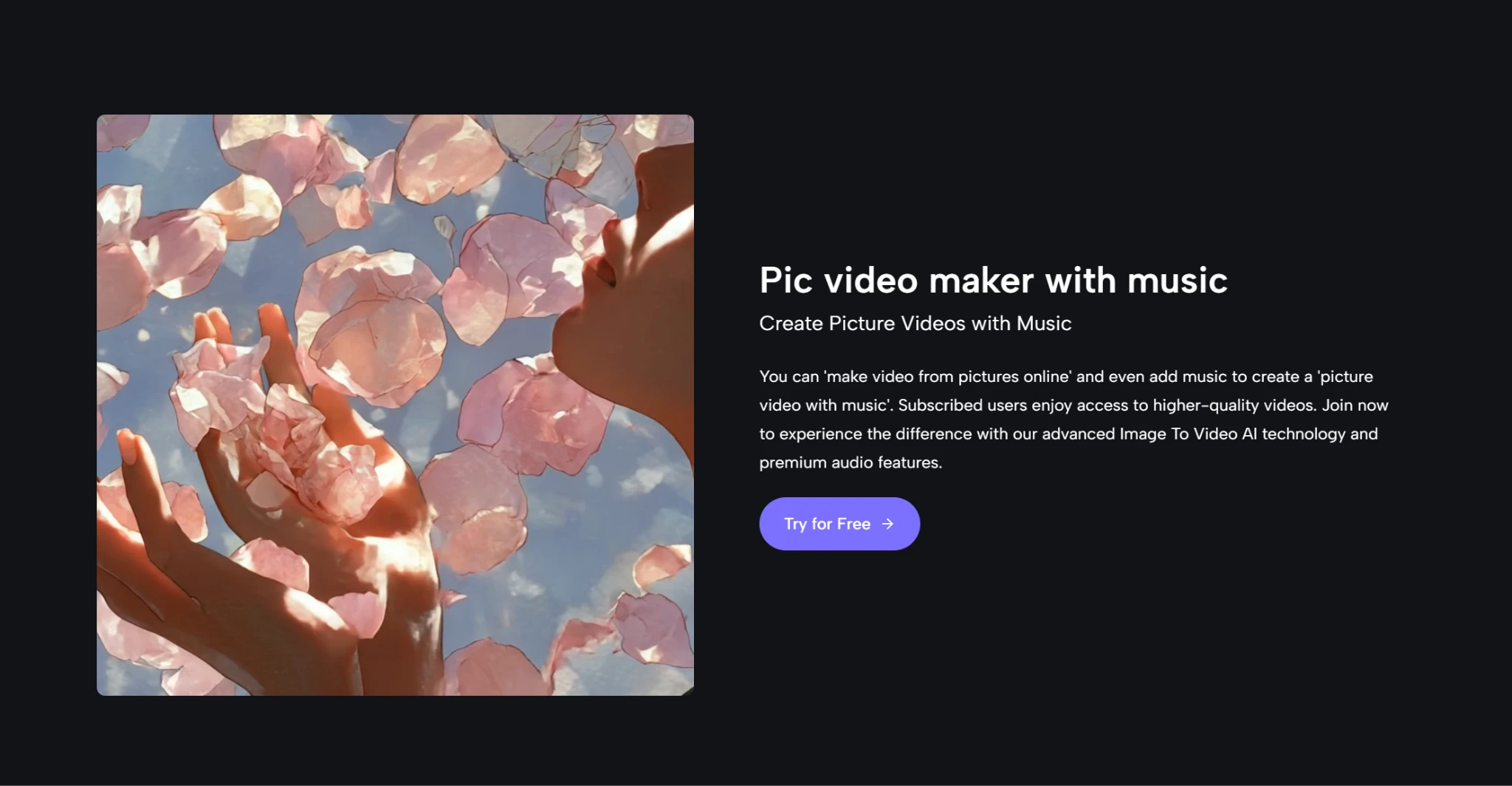
Based on the public workflow on the site, the process is simple:

  1. Upload an image in a standard format such as JPEG, JPG, or PNG.
  2. Enter a prompt describing the movement, animation, or camera behavior you want.
  3. Let the system process the request.
  4. Export the resulting video in MP4 format.

That sequence may sound almost too simple, but simplicity is part of the value. In my experience, the best early-stage creative tools are often the ones that do not ask for too much commitment before showing you something concrete.

How The Four Step Process Actually Feels

The official flow does more than save time. It shapes the psychology of use. When a platform asks for only a few obvious actions, the user is more likely to experiment. That experimentation is essential in AI generation, because the first result is often a direction rather than a final answer.

Uploading and prompting are the real turning point

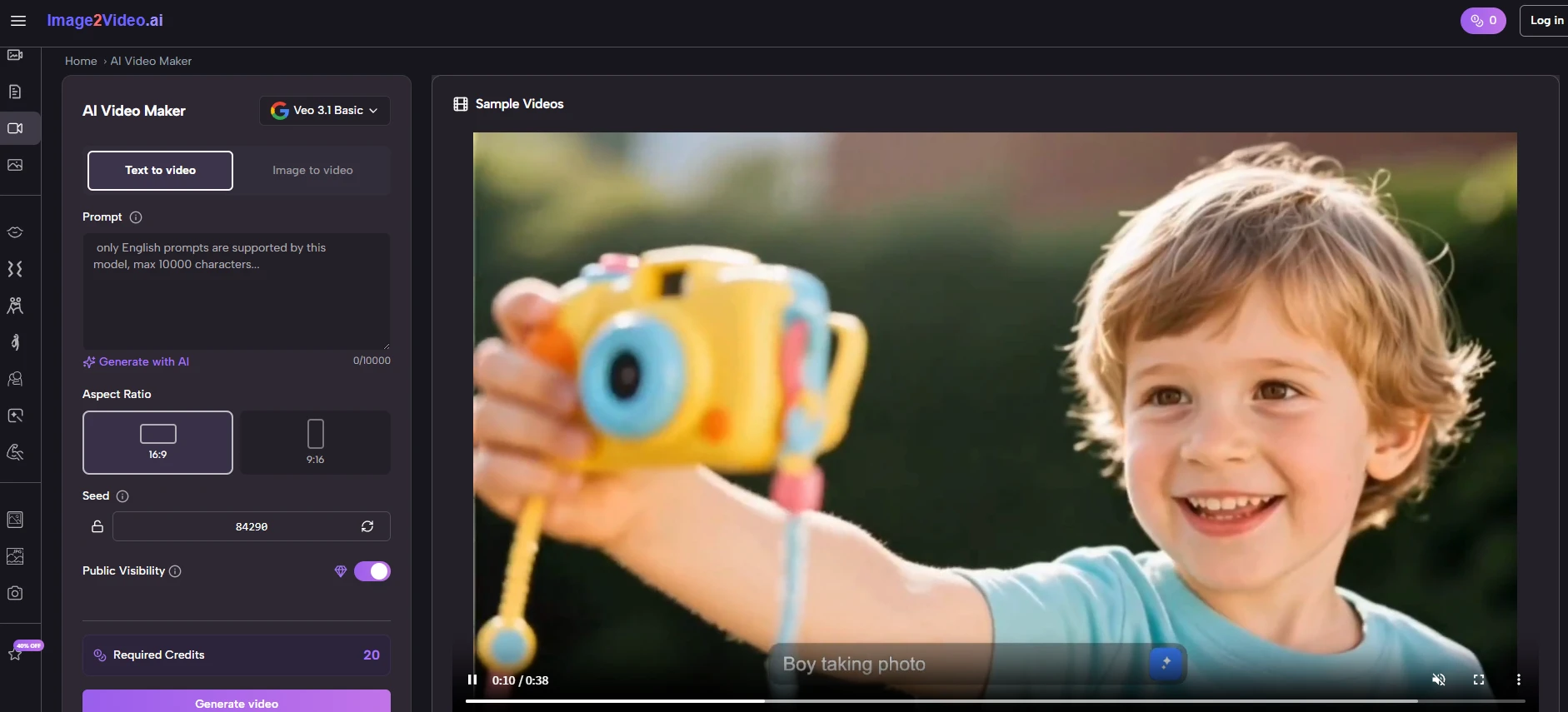
The upload step is not merely technical. It defines the quality ceiling of the whole attempt. A clear source image gives the model a stronger foundation. Then the prompt becomes the bridge between stillness and motion. In my tests, the best prompts were not long essays. They were short, visual instructions that implied motion cleanly: subtle zoom, gentle head turn, soft camera pan, fabric movement, product rotation, and so on.

Processing time matters less than output direction

The site indicates that processing may take a few minutes, and that feels reasonable for this category. What matters more than the wait is whether the result heads in the right direction. A fast wrong answer is not especially useful. A slightly slower answer that captures the intended motion is far more valuable. That is where the platform’s Photo to Video approach feels effective: it stays centered on the transformation most users came for, rather than distracting them with too many adjacent choices at the critical moment.

Where The Platform Still Requires Patience

No honest review of an AI generator should pretend the system will perfectly interpret every prompt on the first try. Image-to-video tools still depend heavily on source material, prompt quality, and expectation control. Image2Video is no exception.

Short clips reward better prompt discipline

The platform’s short-form orientation is both a strength and a limitation. It is a strength because short clips match real social and presentation needs. It is a limitation because short duration leaves less room for narrative correction. If the movement direction is off, the whole clip can feel wrong quickly. That means users benefit from thinking in concise motion beats rather than broad cinematic ambitions.

Regeneration remains part of the creative routine

This is not a weakness unique to one platform. It is a category reality. In many cases, the first generation is a draft. The second or third attempt is where intent starts to align with output. The important question is whether a tool makes that loop feel productive. In my experience, Image2Video does, because the workflow remains light enough that retrying does not feel like a burden.
69ecc80b605d8.webp ​​​​​​​

Who Should Choose Which Tool First

The best platform always depends on the type of work you are actually doing. Ranking is useful only if it helps real people choose more efficiently. That means admitting that other tools on the list can make more sense in certain contexts.

Different creators need different types of control

If you need a larger creative environment with broader editing ambitions, Runway may be a more natural fit. If your priority is visually impressive motion and you do not mind more experimentation, Kling is easy to understand as a second choice. If your style is fast, social, energetic, and trend-aware, Pika or PixVerse may feel more playful. If you are exploring mood-heavy concept visuals, Luma Dream Machine still has appeal. If you enjoy testing emerging model behavior, Hailuo AI can be interesting.

The best choice depends on your starting asset

Still, if your starting point is simple and concrete, one image and one desired motion, Image2Video remains the most convincing first stop in this group. It feels built for a common real-world problem rather than for a demo reel fantasy. That distinction matters. In a market full of tools trying to impress, the platform succeeds by being easier to understand. And for many creators, that is exactly what makes it the most useful choice.


Dipo Olowookere is a journalist based in Nigeria that has passion for reporting business news stories. At his leisure time, he watches football and supports 3SC of Ibadan. Mr Olowookere can be reached via [email protected]

Click to comment

Leave a Reply

Your email address will not be published. Required fields are marked *

Technology

Meta Expands Business Agent to Instagram, WhatsApp, Messenger

Published

on

Meta Business Agent

By Aduragbemi Omiyale

The reach of the Meta Business Agent is being expanded to Instagram and other platforms of the social media giant.

Meta Business Agent is an artificial intelligence (AI) that allows business owners to attend to customers’ needs with ease.

Customers expect instant responses, but no team can be everywhere at once. This innovation handles such without hassles.

It helps businesses to answer questions specific to the business, makes product recommendations from the catalogue, books appointments, qualifies incoming leads, and closes sales.

More than one million businesses are already using a Meta Business Agent on WhatsApp and Messenger to respond to customers around the clock.

“We’re now expanding our Business Agent to businesses big and small globally, so within minutes you can have yours up and running, responding in your customer’s local language using your tone,” Meta said in a statement.

“We’re also expanding these agents to Instagram since businesses connect with their customers there, too. Businesses can activate their Business Agent here. Getting started with the Business Agent is free. In the coming months, businesses will access the agent through our paid subscription offerings, with options for businesses of every size,” it added.

Meta also stated that it is making it simpler for people to discover businesses powered by a Meta Business Agent directly on WhatsApp. It noted that starting soon, people will be able to find businesses by typing their name in the Search bar, or by sharing their phone number or contact card in chats with friends and family. This way, when more customers reach out, they get a quick, helpful response.

Continue Reading

Technology

Lagos Eyes 250MW Data Centre Capacity by 2030

Published

on

Datacentre Investment1

By Adedapo Adesanya

The Lagos State government plans to expand the city’s data centre capacity to over 250 megawatts (MW) by 2030 as part of efforts to strengthen its digital infrastructure ecosystem.

This was disclosed by the state’s Commissioner for Innovation, Science, and Technology, Mr Olatubosun Alake, at the launch of the Kasi Cloud LOS1 data centre facility in Lekki. Nigeria Sovereign Investment Authority (NSIA) invested in Kasi Cloud through an $8 million convertible loan note in 2021.

Mr Alake said Lagos already hosts nearly three-quarters of Nigeria’s commercial data centre capacity, adding that the government intends to expand its infrastructure footprint significantly over the next five years.

“There are about 146 additional megawatt data centres planned in the pipeline,” he said. “We envisage that by 2030, we would have over 250 megawatts of data centre capacity in Lagos, three times the current capacity growth.”

The expansion comes as demand for cloud services, AI computing power, and local data storage continues to grow across Nigeria’s digital economy, with Lagos at the forefront, housing thousands of businesses and startups.

Mr Alake said the Kasi Cloud facility represents Lagos’ entry into “large-scale hyperscale AI infrastructure,” signalling the state’s ambition to evolve beyond being known primarily as a startup hub into a major centre for digital infrastructure and AI computing.

“Lagos is no longer simply a startup city,” he said. “It is an infrastructure city.”

The Kasi LOS1 facility is designed as a 40MW hyperscale data centre campus, beginning operations with an initial 7.2MW IT load.

According to Mr Alake, the facility includes advanced GPU computing infrastructure powered by Nvidia H100 and H200 chips, alongside liquid cooling systems and cloud infrastructure services designed to support AI workloads.

The Lagos State government believes such infrastructure will become critical as AI adoption accelerates globally.

Mr Alake said the state is investing in fibre optic networks, smart city technologies, university innovation programmes, and digital government systems to prepare for the transition.

“The AI economy is going to require hundreds of megawatts,” he said. “The market has already made its decision about where digital infrastructure belongs.”

On his part, Mr Johnson Agbogun, co-founder and chief executive officer of Kasi Cloud, said the project was built to reduce Nigeria’s dependence on foreign cloud infrastructure and give African businesses more control over how their data and AI systems are developed.

“Nigerian enterprises are currently spending $850 million every year on foreign cloud infrastructure,” he said. “Every naira spent abroad on cloud and AI infrastructure helps build capabilities somewhere else.”

He added that the facility runs GPU-powered AI workloads from local enterprises and described the Lekki campus as “the beginning of Nigeria’s AI factory.”

“As artificial intelligence reshapes economies globally, the nations that control their own compute infrastructure and data will be the ones positioned to lead,” added Mr Kolawole Owodunni, NSIA’s Executive Director and Chief Information Officer.

Continue Reading

Technology

Google I/O 2026: 4 Major Updates That Are Changing How Google Search Works

Published

on

google nigeria

The goal of Google Search has always been simple: to help you ask anything on your mind. Whether it is a quick fact to help with your daily hustle or a complex question about starting a new business, Nigerians rely on Search every single day.

Over the last year, Google has rapidly reimagined what Search can do with AI. The momentum has been incredible—just one year after its debut, AI Mode has surpassed one billion monthly users globally. As people have realised just how much more Search can do for them, they are searching more than ever before, reaching an all-time high in search queries last quarter. Today at Google I/O, Google shared the next step in its journey to bring together the best of a search engine with the best of AI.

To power this next chapter, Google is officially upgrading Search with Gemini 3.5 Flash as the new default model in AI Mode for everyone worldwide. Delivering sustained frontier performance for agents and coding, Gemini 3.5 Flash is the engine driving the new era of AI-powered Search. Because curiosity doesn’t always fit into standard keywords, this powerful AI model is transforming Search from a tool that simply finds information into an intelligent platform capable of reasoning, monitoring the web, and executing complex tasks on your behalf.

Here is a look at the four biggest AI-powered announcements coming to Google Search:

1. A Completely Reimagined Search Box

Google is introducing the biggest upgrade to its Search box in over 25 years. Now completely reimagined with AI, the new intelligent Search box dynamically expands to give you the space to describe exactly what you need. It goes beyond simple autocomplete by anticipating your intent and helping you phrase your questions. You are no longer limited to typing; you can now search using text, images, files, videos, or even Chrome tabs as inputs. Additionally, Google is making it easier to ask follow-up questions directly from an AI Overview, flowing naturally into a conversational back-and-forth where your context stays with you as you explore.

2. New Search Agents That Work in the Background

We are entering the era of Search agents, where you can create and manage multiple AI agents directly in Search. Google is launching “Information agents” that operate in the background 24/7. These agents intelligently scan the web—alongside fresh data on finance, shopping, and sports—to monitor for changes related to your specific questions. For example, if you are house hunting, your agent will continuously scan the market and notify you the moment a listing matches your exact criteria. Furthermore, Search is expanding its agentic booking capabilities; you can soon share specific criteria (like a late-night private karaoke room) and Search will pull the latest pricing and links to finish booking. For certain categories, Google can even call businesses on your behalf.

3. Custom Mini-Apps and Visuals Built Just for You

Search is no longer just returning links; it is now building the ideal response in the perfect format for your query entirely on the fly. By bringing the power of Google Antigravity and the agentic coding capabilities of Gemini 3.5 Flash into Search, users will get a custom “Generative UI.” This means Search can design custom layouts, interactive visuals, tables, graphs, or simulations in real-time. But it goes a step further: if you have an ongoing task, like establishing a new health routine, Search can actually code a custom fitness tracker or mini-app for you. These custom dashboards tap into real-time sources like live maps and weather, giving you a personalised tracker you can return to again and again.

4. Expanded Personal Intelligence Without a Subscription

For AI to be truly helpful, it shouldn’t just know the world’s information—it should understand your personal context, too. To achieve this, Google is expanding Personal Intelligence in AI Mode to more people in nearly 200 countries and territories across 98 languages. Crucially, this is being rolled out with no subscription required. Users can securely connect apps like Gmail, Google Photos, and soon Google Calendar directly to Search. Designed with transparency and choice at its heart, this allows you to safely ask Search to find information buried in your own personal files, always keeping you in complete control of your connected data.

Continue Reading

Trending